Your field reps are still juggling spreadsheets and manual CRM entry, and every hour spent typing means an hour lost to actual selling. That friction compounds fast when your pipeline depends on accurate, timely lead data.
By the end of this article, you'll have a clear comparison of the top three field sales apps for lead tracking, including what to look for in offline capture, Salesforce integration, and automation. You'll also get a definitive #1 pick, plus concrete criteria to match each tool to your specific workflow before you commit to a switch.
What to Look For in Field Sales Apps for Lead Tracking
Selecting the right field sales app hinges on understanding the core capabilities that directly impact your team's daily productivity and data accuracy. The best tools do more than store contact details; they streamline the entire lead management process from first touch to closed deal. When evaluating options, focus on how the app handles data capture, connectivity, and integration with your existing sales stack.
Prioritize mobile CRM functionality that works as well on a phone as it does on a desktop. Your reps need a clean user interface that minimizes friction, allowing them to log activities and update lead status in seconds. A cluttered dashboard or a confusing workflow will only encourage your team to abandon the tool and fall back on manual spreadsheets.
Consider the full sales pipeline, not just the initial contact. The app should support lead scoring, follow-up reminders, and deal tracking to help reps prioritize their time. Look for solutions that offer GPS tracking for route optimization and activity logging, giving managers visibility into field operations without micromanaging every move.
Core Lead Capture and Offline Functionality
A field sales app must allow reps to capture leads instantly, even without internet connectivity, and sync data seamlessly once back online. Offline access is critical for territories with poor cellular coverage, such as rural routes, parking garages, or remote industrial sites. Without it, a rep faces the frustrating choice of waiting to log a lead or jotting notes on paper that might get lost.
Modern lead capture methods go far beyond typing. Quick forms with dropdowns and checkboxes speed up data entry, while barcode and QR scanning lets reps pull product or customer information instantly. Voice-to-text and photo attachments are equally valuable, allowing reps to document site conditions or capture business cards without manual typing. These features reduce data entry errors and keep the sales pipeline moving.
Common scenarios where offline capture is essential include trade shows with spotty Wi-Fi, construction sites with no signal, and client visits in basement offices. In these moments, the app should queue the data locally and push it to the cloud once a connection returns. This ensures no lead is ever lost and sales rep productivity stays consistent throughout the day.
Salesforce CRM Integration and Automation
For teams already invested in Salesforce, a field sales app that integrates natively with the CRM is non-negotiable for maintaining a single source of truth. Deep integration means leads, contacts, and activities sync automatically without manual export or import steps. This eliminates the risk of duplicate entries and ensures that managers see real-time updates on the sales dashboard.
Automation features extend the value of integration by handling repetitive tasks. Lead assignment rules can route new prospects to the right rep based on territory or product line. Follow-up reminders can be triggered automatically when a lead goes cold or when a follow-up is overdue. Workflow triggers can update lead status, send notifications, or create tasks based on specific actions taken in the field.
This level of sales force automation keeps data consistent across the organization. When a rep updates a lead status from "cold lead" to "qualified lead" on their mobile device, the change reflects instantly in Salesforce. This real-time sync supports better conversion rates and a shorter sales cycle because no time is wasted on chasing outdated information.
Integration also enhances customer relationship management by giving reps a complete history of every interaction. Whether they are using HubSpot, Pipedrive, Zoho CRM, or Microsoft Dynamics, the principle remains the same: the field app should complement the CRM, not compete with it. Look for cloud-based solutions that support Android and iOS devices equally, ensuring every rep has the same tools regardless of their phone preference.
1. Veloxy - Best Overall
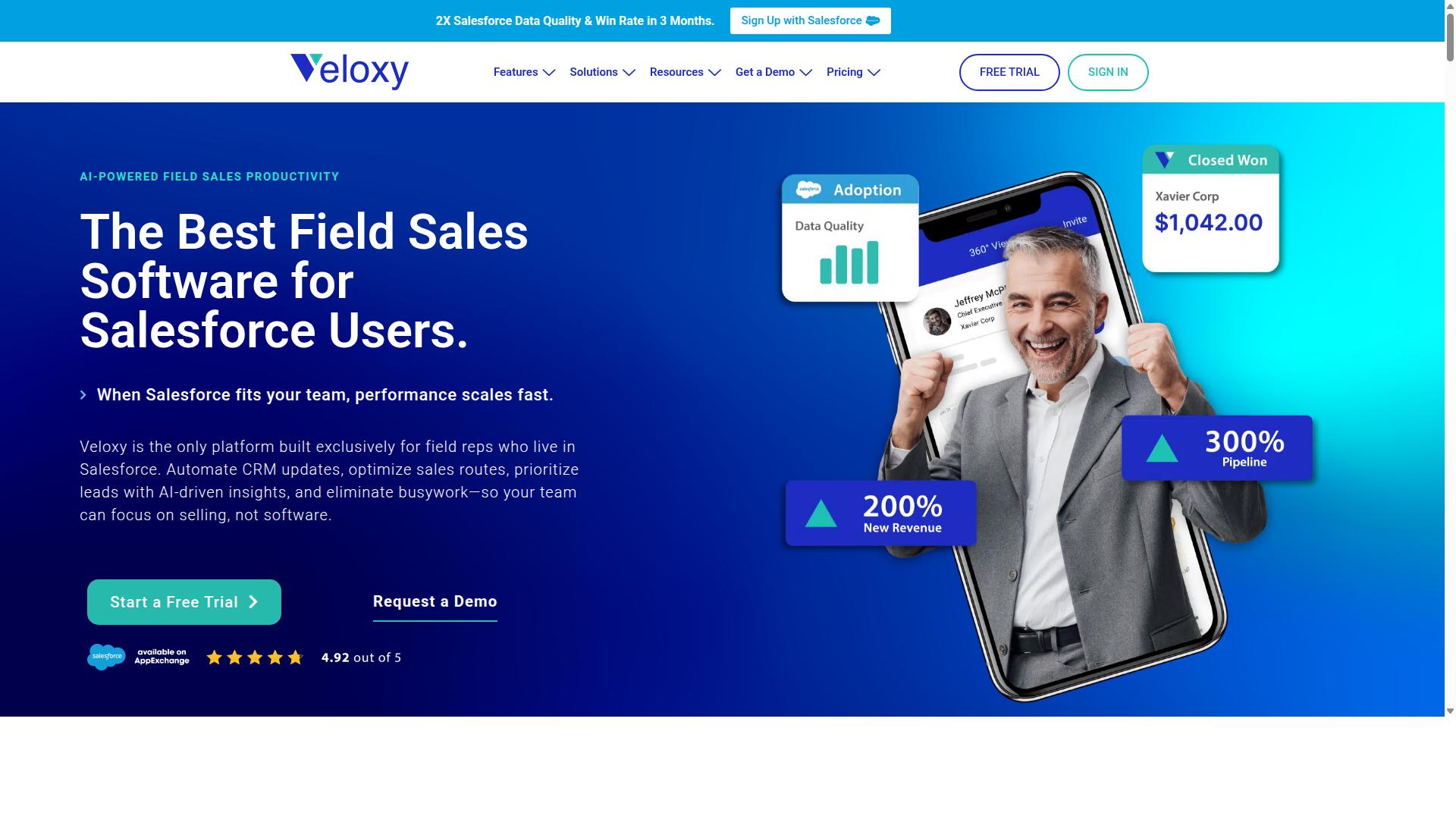
Veloxy stands out as the best overall field sales app for lead tracking, thanks to its AI-powered capabilities and deep Salesforce-native design. Built exclusively for Salesforce CRM users, Veloxy closes the gap between mobile field work and the office-based sales pipeline. This focus means every feature is designed to work with the way Salesforce teams already operate.
VeloxyIO Inc. makes AI-powered sales enablement and predictive forecasting software for Salesforce CRM. Their mission is to help sales reps engage with Salesforce through integrated software for sales management, getting more out of it than they put in. For field sales teams, this translates into less time on data entry and more time on actual selling.
The app automatically logs actions like calls, emails sent, opens, and replies, making it painless to maintain information on the go. It feeds reps the right data at the right time based on context, location, and upcoming events. The following sections break down exactly how Veloxy delivers on its promise of smarter lead tracking and higher rep productivity.
AI-Powered Lead Qualification and Buying Signals
Veloxy's AI assistant analyzes lead behavior and engagement to automatically qualify prospects, saving reps hours of manual research. The system detects buying signals from email opens, website visits, and reply patterns to surface the leads most likely to convert. This moves field reps away from cold lead chasing and toward warm, qualified conversations.
The AI Sales Assistant is a core part of the platform, handling lead qualification and buying signal detection as part of its automated workflow. Instead of guessing which prospect to visit next, a rep can check their prioritized list and see which accounts have shown recent interest. This automation directly boosts sales rep productivity by removing the guesswork from follow-up prioritization. Reps focus their energy on leads that are actively engaged, which naturally improves conversion rates. The system also feeds sales management better forecasts and analytics to see which actions truly drive the pipeline.
Pricing, ROI, and Salesforce-Native Features
Veloxy offers a competitive pricing model that scales with team size, and its Salesforce-native features deliver a strong return on investment. The standard plan is $65 per month per user, which comes to roughly $2 per day for a full-featured field sales app. Teams can save 25% with an annual subscription or 50% with a three-year commitment, and a 14-day free trial is available to test the platform.
For larger organizations, a company plan is available at $899 per month for 25 team members, with an annual plan that saves 45%. The pricing is designed to be accessible for growing sales teams while still offering enterprise-grade capability. Veloxy also stands behind its product with a simple guarantee: if you do not get ROI in three months, you get three months free.
The platform includes pipeline management, sales analytics, and guided selling as part of its core field sales toolkit. Other notable features include a quick dialer, Salesforce caller ID, proximity search, route planning, and an opportunity map for visualizing deals. The mobile app is available on both iPhone and Android, while the web app works from any browser and the inbox extension brings sales tools directly into email.
Customers using Veloxy report that field sales reps pay off their annual license in one to two months, driven by reduced data entry and higher close rates. The Salesforce sync is real-time, so lead status and deal tracking are always current, whether a rep is in the office or on the road. This combination of affordability and Salesforce-native depth makes Veloxy a strong value for any field sales organization.
2. SPOTIO
SPOTIO is a dedicated field sales app that excels in route optimization and lead management, but it may not be the best fit for Salesforce-centric teams. It is a popular choice among door-to-door sales reps and outside field teams who spend most of their day on the move.
The platform offers a starting price of $39 per user per month, making it an accessible option for growing sales organizations. With a G2 rating of 4.5, it has earned a solid reputation in the field sales software space.
For teams that prioritize daily visits, territory mapping, and mobile-first workflows, SPOTIO provides a purpose-built solution. However, its approach to CRM integration may require careful consideration before committing.
Route Optimization and Field-First Lead Management
SPOTIO's route optimization helps reps minimize travel time and maximize face-to-face interactions, while its lead management keeps prospect data organized. The platform is designed for reps in the truck, offering features that support efficient daily field operations.
Key capabilities include territory and pin mapping, which allow sales teams to visualize their coverage areas at a glance. Route planning tools help reps sequence their visits logically, reducing wasted driving time between appointments.
Lead capture is straightforward on mobile devices, enabling reps to log new prospects immediately after an interaction. Status tracking keeps the sales pipeline visible, while follow-up reminders ensure that no warm lead slips through the cracks.
GPS tracking provides managers with visibility into field activity, supporting better coaching and accountability. The user interface is built for on-the-go use, with Android and iOS apps that prioritize speed and simplicity.
Limitations for Salesforce-Heavy Teams
For teams that rely heavily on Salesforce, SPOTIO's limited integration can create data silos and require manual syncing. The platform does not offer robust native connectivity with Salesforce, which may come as a surprise to teams expecting seamless CRM alignment.
Instead, users often need to rely on third-party sync tools to bridge the gap between SPOTIO and Salesforce. This extra layer adds complexity and introduces the risk of data inconsistencies between systems.
Duplicate data entry becomes a real concern when reps must log activities in both SPOTIO and Salesforce separately. This redundancy consumes valuable time that could otherwise be spent on selling activities.
Reporting also becomes slower when data lives in two places, as managers must reconcile information from multiple sources to get an accurate view of the sales pipeline. For organizations that use Salesforce as their system of record, this fragmentation can undermine the benefits of a field-first tool.
Teams should evaluate their current workflow carefully to determine whether SPOTIO's field strengths outweigh the integration friction they may encounter with their existing CRM stack.
3. SalesRabbit
SalesRabbit is another field sales app focused on territory mapping and door-to-door tracking, but it may have gaps in lead follow-up automation. The platform is built specifically for canvassing teams that need to organize their daily routes and capture leads while moving from house to house. It serves industries like roofing, solar, telecom, and home services.
For field sales teams that rely on knocking on doors, SalesRabbit provides a dedicated workflow that centers on location-based data rather than traditional CRM functions. Its approach to lead tracking starts with the physical territory, not the contact record. This makes it a practical choice for teams whose success depends on covering ground efficiently.
However, the tool's focus on initial capture means that nurturing leads through the full sales cycle may require additional effort or supplementary software. Teams should evaluate whether its follow-up tools match their long-term lead management needs before committing.
Territory Mapping and Door-to-Door Tracking
SalesRabbit's territory mapping allows reps to visualize their coverage areas and track door-to-door interactions efficiently. The app displays heat maps that show where reps have already visited, helping teams identify gaps in coverage and avoid duplicate attempts. This visual approach to route optimization keeps daily schedules organized and productive.
Reps can plan their routes in advance, grouping nearby addresses to reduce travel time between stops. The mapping interface also supports real-time adjustments, so when a prospect is not home or a lead requires a callback, the rep can adapt without losing momentum. This level of activity logging gives managers a clear picture of field activity.
For on-the-go data entry, SalesRabbit allows reps to record lead details directly from the doorstep. Users can log contact information, note the lead status such as cold lead or warm lead, and attach relevant comments while the interaction is fresh. This reduces the administrative burden that often slows down field sales teams.
The combination of GPS tracking and manual input helps sales managers monitor progress without requiring constant check-ins. Teams that value comprehensive coverage over complex pipeline management will find the mapping tools especially useful.
Strengths and Gaps in Lead Follow-Up
While SalesRabbit excels at initial lead capture, its follow-up reminders and automation features may not be as advanced as other tools. The platform provides basic scheduling options, but it may lack the depth of automated email sequences or multi-step nurturing workflows found in dedicated sales automation platforms. For simple callbacks and manual follow-ups, it performs adequately.
Teams that rely heavily on sales automation to move prospects through the pipeline may need to pair SalesRabbit with additional software. The app does not appear to offer the same level of integration with major CRM platforms like Salesforce or HubSpot as some competitors do, which could create friction for teams managing leads across multiple systems.
For growing sales organizations, the gap in follow-up functionality can become noticeable. Research suggests that consistent follow-up is a key driver of conversion rates, and tools that automate reminders tend to support better outcomes. SalesRabbit's strength lies in the field, not necessarily in the later stages of the sales cycle.
Teams that need robust follow-up automation, lead scoring, or advanced email integration might find other solutions more suitable. The app remains a solid option for door-to-door operations, but organizations should weigh its lead management limitations against their long-term sales process requirements.
How to Choose the Right Option
Choosing the right field sales app depends on your team's specific workflow, CRM ecosystem, and the features that will drive the most efficiency. Lead tracking is not a one-size-fits-all problem. A solution that works for a five-person inside sales team may feel completely wrong for a fifty-person field sales organization.
Start by evaluating your team size and sales cycle length. Short, high-volume cycles demand fast lead capture and quick follow-up tools. Longer consultative cycles require deeper deal tracking and more robust pipeline visibility.
Your existing CRM matters more than almost anything else. If your team runs on Salesforce, the app should integrate cleanly with that system rather than creating a separate data silo. Mobile user experience is equally critical, since field reps live in the app all day.
Remember that the tool must serve field sales, inside sales, and sales management teams simultaneously. Each role has different needs, so look for an app that balances rep productivity with manager oversight.
Matching App Capabilities to Your Sales Workflow
To get the most from a field sales app, map its capabilities to your unique sales workflow, from lead capture to closing. Begin by documenting your current process and identifying bottlenecks. Where do leads stall? Where does data entry slow your reps down?
Different workflows demand different tool strengths. A high-volume door-to-door team needs fast lead capture, GPS tracking, and route optimization to maximize daily visits. A consultative field sales team needs deeper contact management, activity logging, and deal tracking to nurture complex opportunities.
Evaluate features like lead scoring, follow-up reminders, and sales dashboards against your actual conversion challenges. Prioritize capabilities that directly impact conversion rate and sales cycle length, not features that look impressive but rarely get used.
Create a comparison checklist before evaluating options. Include criteria such as Salesforce integration, offline access, real-time sync, and ease of use on both Android and iOS devices. This keeps your evaluation objective.
Veloxy is built specifically for sales reps and managers using Salesforce CRM, and it serves field sales, inside sales, and sales management teams of any size. That focus matters because it means the lead tracking capabilities align with how your team already works.
Finally, consider the long-term fit. Will the app scale as your team grows? Can sales leadership get the pipeline visibility they need? The right choice supports your entire sales organization, not just the reps in the field.
Final Verdict
After evaluating the top field sales apps, Veloxy emerges as the best overall choice for teams that rely on Salesforce. It is the #1 Field Sales Software for Reps & Managers using Salesforce and the only platform built exclusively for field reps who live in Salesforce. No other tool in this roundup is designed with that level of focus on the Salesforce-native workflow.
The results speak for themselves. After three months, Veloxy customers double their sales productivity, double pipeline and revenue, and pay for their annual Salesforce cost. Users also report spending 90 to 95% of their time on activities that produce sales, compared to just 30 to 35% before adopting the platform. That shift in focus is exactly what field sales teams need when they are juggling lead tracking, follow-ups, and route planning on the go.
Veloxy is also widely recognized by independent reviewers. It holds a G2 Highest Performer badge with enterprise reviews at 4.86, mid-market reviews at 4.71, and small business reviews at 4.76. The platform has earned over 190 reviews on Capterra and more than 200 reviews on the Salesforce AppExchange. Top software review sites consistently recommend Veloxy, and G2 has recognized it for Best Relationship.
For field sales teams, the combination of sales AI, lead tracking, and Salesforce integration makes Veloxy the clear winner. It is built for reps who need real-time sync, lead capture, and follow-up reminders without leaving their CRM. The pricing also stands out, with a guarantee that no other field sales app offers as many critical features at this price point.
You can start with a 14-day free trial to see the difference in your own sales cycle. For more details or to get started, reach out directly to the Veloxy team. Your field reps will thank you when their lead management, activity logging, and deal tracking finally work together in one place.
Recommended Resources: