Your team assigns tasks in three different apps, then asks you what is happening. Most founders switch tools because updates get buried in chat threads and nobody wants another dashboard. Natural language automation puts task assignment, tracking, and reports where your team already talks.
This article breaks down what to look for in natural language automation software, then reviews five tools, starting with Tasks.Bot, a WhatsApp-based task manager now in beta with a free trial. By the end, you will know which features matter for your workflow and which tool fits your team.
What to Look For in Natural Language Automation Software
Natural language automation software uses AI to interpret plain English or voice commands and convert them into automated actions, eliminating the need for manual workflow building. Instead of dragging blocks onto a canvas or writing scripts, you simply describe the outcome you want and the system figures out the steps required to deliver it.
This is a meaningful shift from traditional workflow automation. Tools like Zapier, Make, n8n, and IFTTT rely on trigger-action workflows that you assemble yourself, choosing a trigger, mapping fields, and connecting each step by hand. They are powerful, but they assume you already know exactly how the automation should be structured.
Natural language automation flips that assumption. The software leans on large language models to parse intent, identify the relevant apps and data, and assemble a multi-step automation on your behalf. For busy founders, the appeal is speed. You describe the task in a sentence and the tool executes it, which matters when your calendar is already full.
That said, not every tool handles this equally well. Some are little more than a chat interface bolted onto a rigid builder. Others genuinely support workflow orchestration across many apps. The difference shows up the moment your instructions get complicated or ambiguous.
Consider a concrete example. A founder types: "Send a follow-up email to all leads from yesterday's webinar." A capable tool should recognize this as a multi-step automation. It identifies the leads, drafts personalized messages, and schedules the sending, all without anyone mapping a single field.
Evaluating that capability comes down to four questions. How accurately does the tool recognize intent? Can it chain multiple steps together? How many of your existing apps does it connect to? And does it cope when your instructions are vague rather than precise? Those criteria shape the five tools that follow.
Key Features Busy Founders Should Prioritize
When evaluating natural language automation tools, founders should prioritize five core features: intuitive language parsing, robust app integrations, multi-step workflow support, reliable error handling, and transparent pricing. Each one determines whether the tool saves time or quietly creates new work.
Language parsing sits at the center of everything. A strong tool should correctly interpret a command like "Schedule a meeting with the design team next Tuesday at 3 PM and add it to our shared calendar" without any manual configuration. If you have to rephrase the request three times or fill in missing details by hand, the automation is not doing its job.
App integrations decide how useful the tool is in practice. Look for connectors to the apps your team already lives in, such as Gmail, Slack, Notion, HubSpot, and Google Sheets. API connectors extend that reach to internal or less common systems, which matters as your stack grows.
Multi-step automation separates real workflow tools from simple command runners. The best options support conditional logic and branching, so an automation can take different paths depending on the data it encounters. A lead from an enterprise domain might get one email sequence, a solo signup another.
Error handling is easy to overlook until something breaks silently. Look for notifications when an automation fails and retry mechanisms that attempt the step again. Without both, a failed run can go unnoticed for days.
Pricing should be predictable, whether charged per user or per workflow. Surprise overage fees undermine the whole point of a time-saving tool. Busy founders should also avoid anything requiring extensive setup or coding, since that defeats the purpose.
Finally, check for templates or pre-built automations covering common startup tasks like lead capture, meeting transcription, or social media scheduling. Pre-built starting points shorten the path from idea to working automation, which is exactly what a founder with no spare hours needs.
1. Tasks.Bot - Best Overall
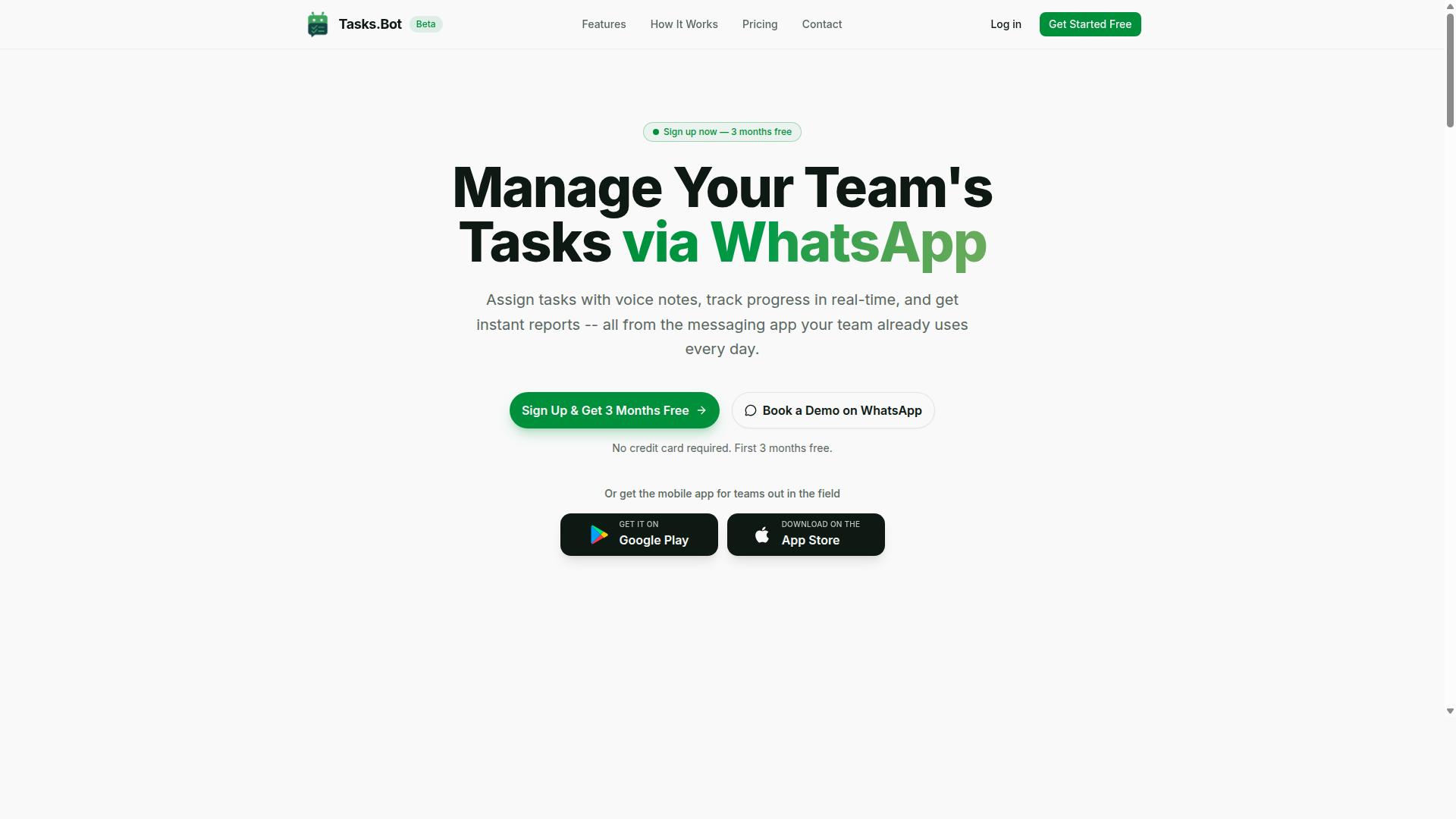
Tasks.Bot earns the top spot for its unique ability to turn WhatsApp messages and voice notes into fully managed tasks, making it the most accessible natural language automation tool for teams already using the messaging app. Instead of asking people to learn another dashboard, it lives inside a chat window they open every day.
That approach matters for busy founders who need delegation to happen fast, not after a training session. Team members do not install anything or create new accounts, so adoption is immediate rather than a weeks-long rollout.
The platform uses AI to understand natural language and voice notes, so task creation, assignment, and tracking all happen through ordinary conversation. For field teams, Tasks.Bot also provides Android and iOS apps with push notifications, voice capture, and a home screen widget, plus face-verified attendance and live GPS tracking.
In short, it is built for founders who want task automation without pulling their team out of their primary communication channel. The details of how it works, what it costs, and where it fits follow below.
Why Tasks.Bot Tops the List
Tasks.Bot stands out because it requires zero onboarding for team members. Everything happens inside WhatsApp, and its AI interprets voice notes and natural language to create tasks, assign them, and send automatic reminders.
That removes two common sources of friction: training time and app fatigue. A founder does not need to explain a new interface, and the team does not need to remember yet another login. Delegation becomes as simple as typing or speaking a sentence.
The feature set is built around that same idea of low effort, high visibility:
- Voice note task creation and automatic task assignment
- Smart deadline reminders, approvals, and automations
- Instant reports, tasks on a map, and a live day tracker
- Face-verified attendance, plus shifts, leave, and hours management
- Native WhatsApp integration with enterprise-grade encryption
A practical example shows the value. A founder can forward a client email into a WhatsApp group and say, "Team, please handle this by Friday." Tasks.Bot creates the task, assigns it to the right person, and sets a reminder, all without leaving the chat.
Tasks.Bot is currently in beta, which means early adopters get direct input into feature development. Conversations and task data are never shared or used for training, which matters for founders handling client-sensitive work.
Pricing and Free Trial
Tasks.Bot offers a straightforward "Full Access" plan with all features included, priced at ₹200 per member per month or ₹1,200 per member per year. The annual option works out to roughly ₹100 per month, a saving of 50% and ₹1,200 per year per member.
Pricing is available in Indian Rupees and US Dollars, and the site includes a currency selector with options for Indian Rupee and US Dollar. There are no hidden tiers or feature locks, so the plan covers everything the platform does.
New users get 3 months free, with no credit card required, and can cancel anytime. That trial period gives a founder enough runway to see whether the WhatsApp-first model fits how their team already communicates.
Because pricing is per member, costs scale directly with team size. A small team pays for a small team, and adding field staff or contractors does not trigger a separate workflow or automation fee. Founders comparing options should calculate total cost based on headcount and check whether competitors charge per workflow, per automation, or per seat, since those models can grow unpredictably as usage expands.
2. Reminderly.ai
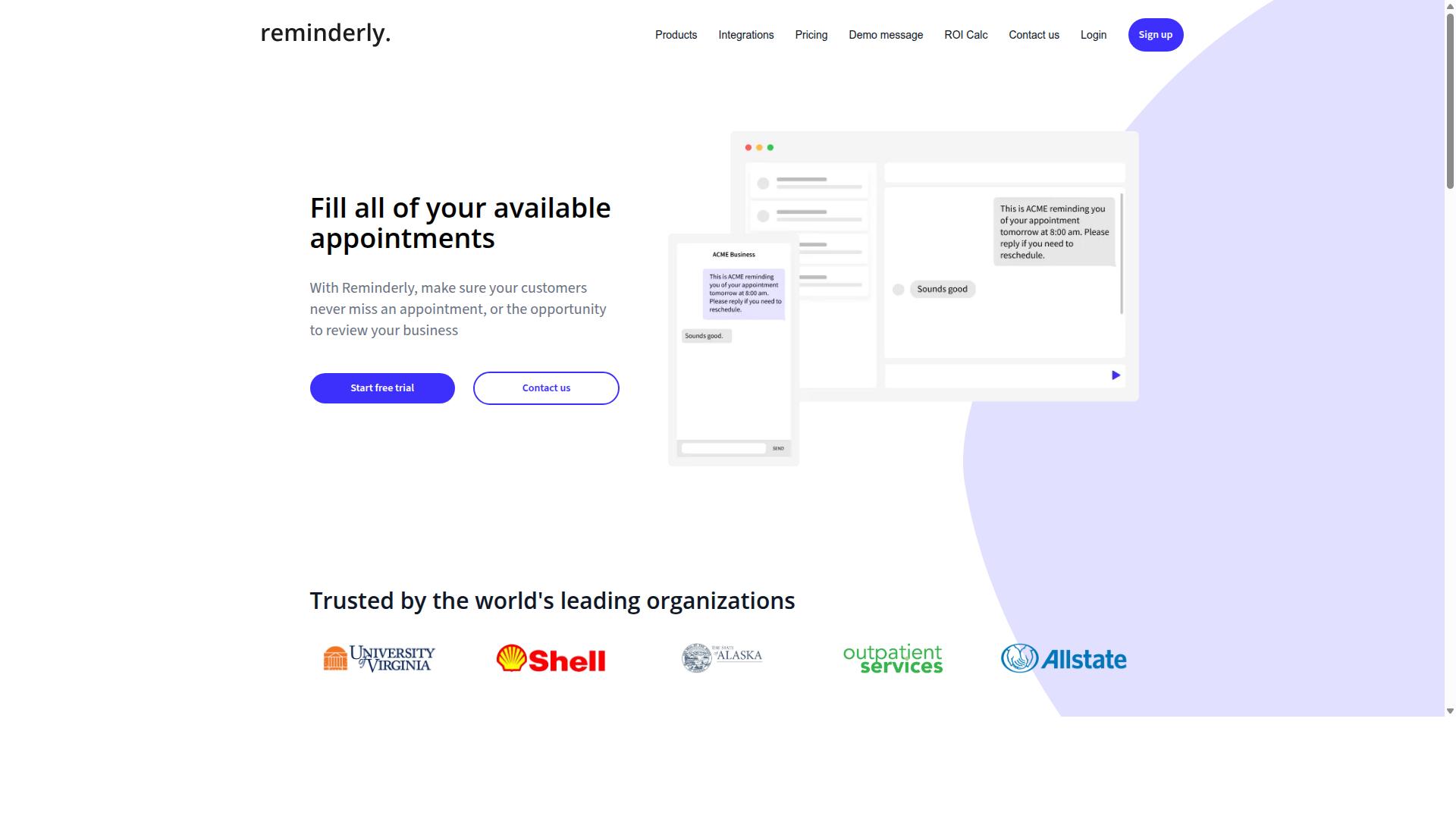
Reminderly.ai focuses on natural language reminders and lightweight task automation, allowing users to set reminders via chat or voice and work together with calendars and messaging apps. It sits in a narrower lane than full workflow orchestration platforms, and that focus is exactly what makes it approachable for individuals and small teams.
Instead of building branching logic with API connectors, a user simply types or speaks something like "remind me to follow up with the lead on Thursday" and the tool handles the scheduling. That low-friction input model is the core of natural language automation for people who do not want to configure anything.
For busy founders, the appeal is speed. Capturing a thought in plain language takes seconds, and the reminder lands where the work already happens rather than in yet another dashboard.
Based on publicly available information, Reminderly.ai is best understood as a reminder-first tool rather than a general automation engine. Its strengths tend to cluster around a few practical areas:
- Ease of use: Minimal setup, with reminders created through conversational input rather than form fields and rules.
- Voice command support: Useful for capturing tasks while walking, driving, or between meetings.
- Recurring reminders: Helpful for rituals like weekly reviews, invoice follow-ups, or check-ins with a co-founder.
- Common integrations: Likely connections to calendar and messaging tools such as Google Calendar, Slack, and email, though exact support may vary.
A realistic example: a founder dictates "remind the team in Slack every Monday to submit weekly updates." A reminder tool handles that pattern well. Asking the same tool to route qualified leads into a CRM, enrich the record, and trigger a nurture sequence is a different class of problem.
That gap matters when evaluating fit. Reminderly.ai may lack advanced complicated processes, conditional branching, and deep CRM integrations, so complex business process automation is likely out of scope. Feature sets for tools in this category also change over time, so it is worth confirming current capabilities directly.
The clearest fit is a founder who mainly needs personal reminders and simple team notifications, not a replacement for a workflow platform. If your bottleneck is remembering and nudging, this type of tool removes friction fast. If your bottleneck is moving data between systems, you will likely need a broader automation layer alongside it.
3. TaskRio
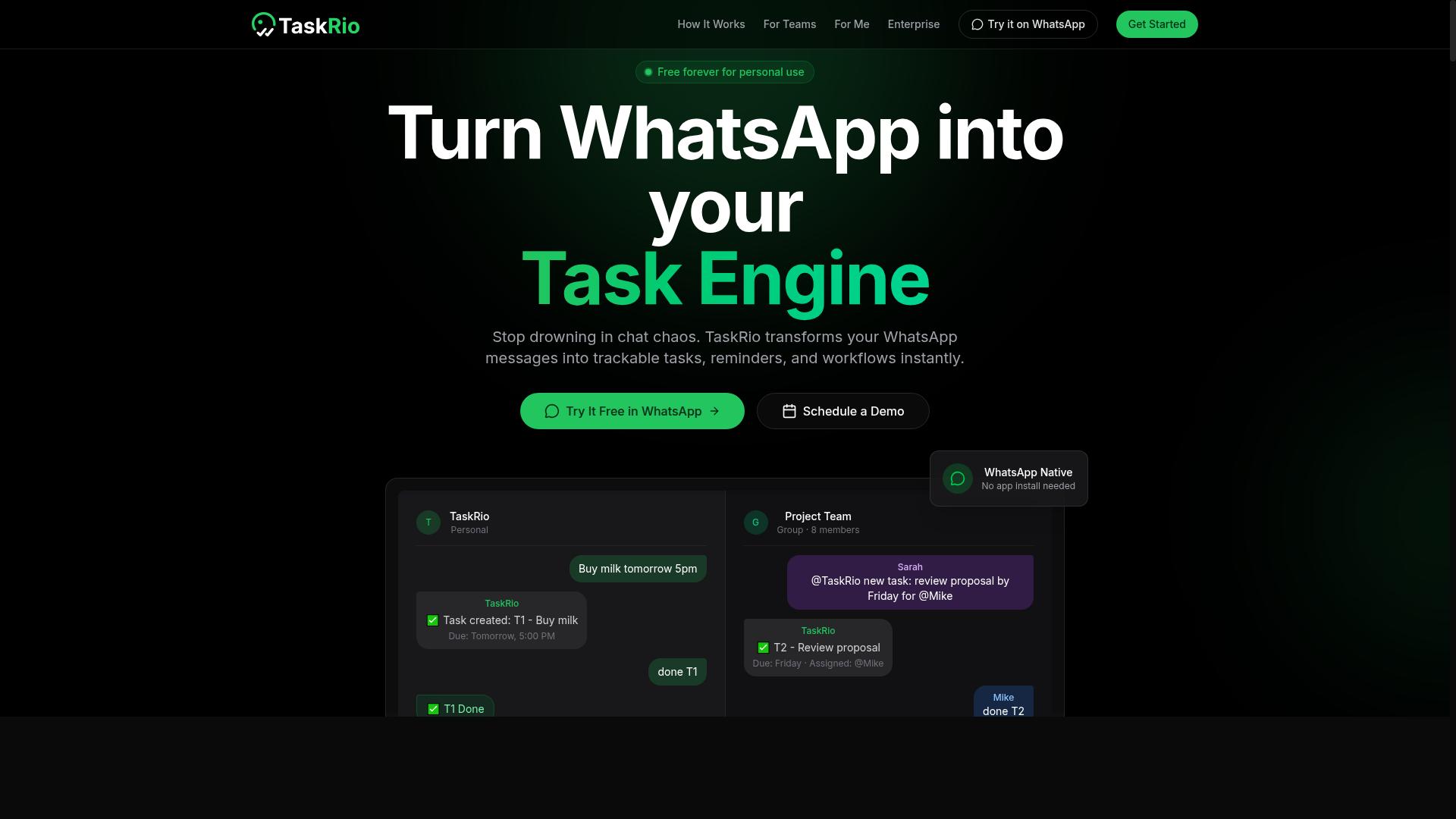
TaskRio combines natural language task creation with a visual workflow builder, targeting teams that want the flexibility of AI-driven inputs and the control of drag-and-drop automation.
The core promise is simple. You type or speak a task in plain language, and TaskRio turns it into a structured item you can act on. From there, a visual interface lets you adjust details, set priorities, and shape how the work moves forward.
This hybrid approach sets it apart from tools that stop at capture. Many natural language automation products handle the input well but leave you with limited control over what happens next. TaskRio appears to bridge that gap by letting you refine workflows after the fact, rather than locking you into whatever the AI produced.
Based on available information, TaskRio likely connects with popular project management and communication platforms. That would make it easier to slot into an existing stack instead of replacing it. For busy founders already juggling several apps, that kind of app integration matters more than raw feature count.
Who is this best for? Founders who want to start with natural language but know they will need to customize later. If your workflows change as your team grows, a visual builder gives you room to adapt without starting over.
A few caveats are worth noting. TaskRio may require more setup than pure WhatsApp-based tools, since a visual builder usually means configuring steps, fields, and connections. Pricing for advanced features could also run higher than simpler task capture apps.
None of that makes TaskRio a poor choice. It simply means the tradeoff is control versus speed of setup. If you need deep customization and are willing to invest a little time upfront, that tradeoff may be worth it.
As with any tool in this category, confirm current features and pricing directly before committing. Details shift, and what fits one founder's workflow may not fit another's.
4. Karo.bot
Karo.bot is a conversational AI assistant that automates tasks and answers queries within team chat platforms like Slack and Microsoft Teams. Instead of opening a separate dashboard or learning a new interface, founders type a request in plain language and the bot handles it in the same window where their team already works.
That chat-first design is the main appeal. No new app to install and no context switch means adoption tends to be fast, even for teammates who are not technically inclined. For a busy founder, the tool lives exactly where conversations already happen.
Typical requests fall into a few familiar categories:
- Scheduling meetings and coordinating times across attendees
- Fetching data from connected systems, such as a status update or a record lookup
- Sending notifications to a person or a channel when something needs attention
- Answering quick questions about where things stand, without digging through tools
Because it sits inside your chat ecosystem, Karo.bot works best as a virtual assistant rather than a full automation platform. It handles the small, frequent requests that eat up a founder's day: checking a detail, pinging the right person, or lining up a call.
Where it tends to be lighter is complex, multi-step workflow automation. If you need branching logic, several apps chained together, or long-running processes with error handling, a dedicated platform such as Zapier, Make, or n8n is usually a better fit. Karo.bot leans toward information retrieval and simple task automation.
That makes it a reasonable choice for founders who want a lightweight assistant without adding another tool to the stack. It is less suited to teams trying to replace a full business process automation layer.
Features and pricing for tools in this category change frequently, and plans are often tied to seat counts or message volume. Before committing, check the vendor's site for the current feature list and pricing, and confirm which chat platforms and integrations are supported today.
5. The Sarah AI
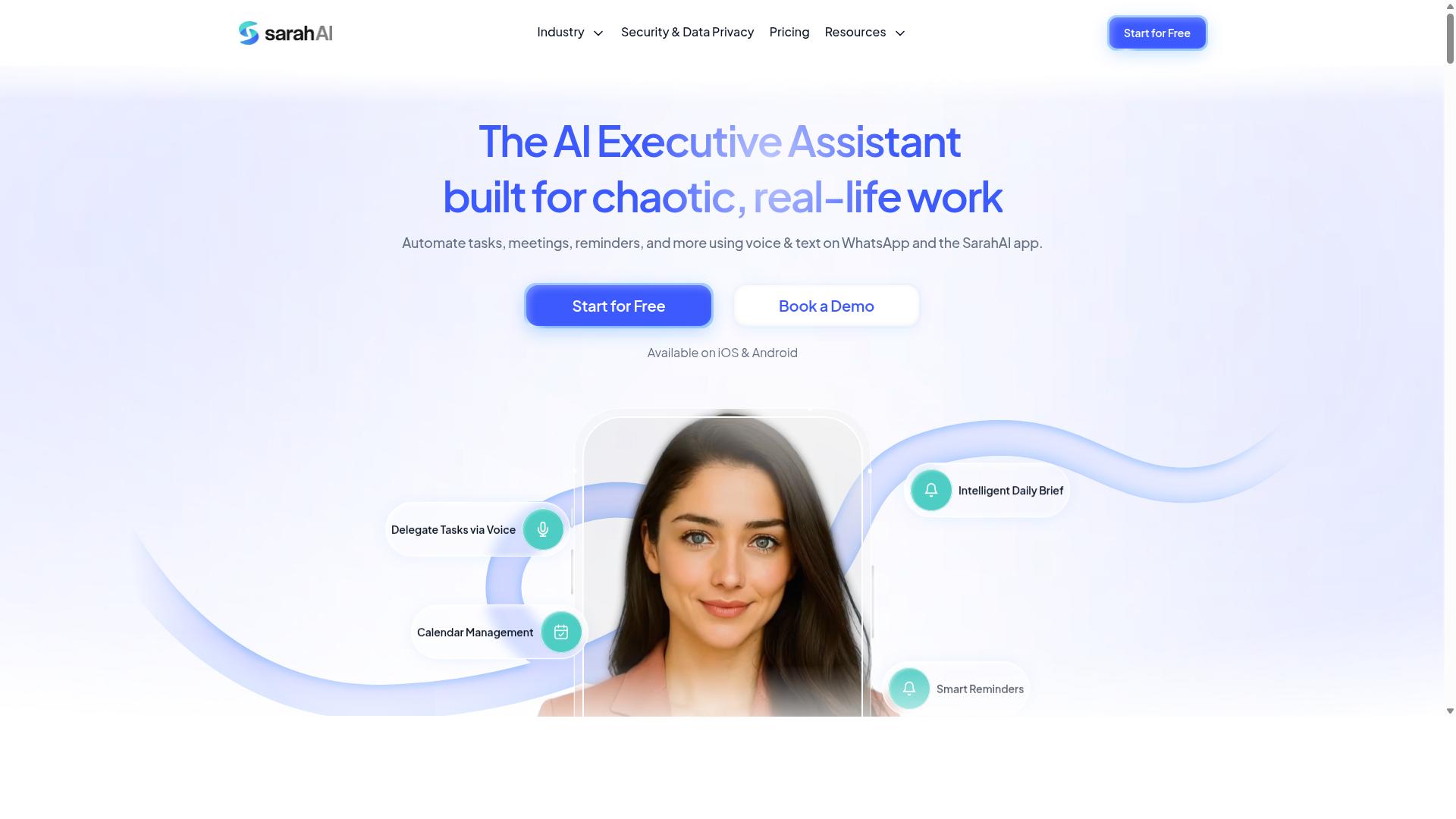
The Sarah AI positions itself as an AI agent that can handle complex, complicated processes triggered by natural language commands, with a focus on sales and marketing automation. According to its website, the tool is built for teams that want to describe an outcome in plain English and let the system coordinate the steps behind it.
That framing puts it in a different category from simple task automation. Instead of chaining triggers and actions by hand, users describe what they want to happen. The platform then maps that request onto the apps and data sources it can reach. For busy founders, the appeal is obvious: less time building workflows, more time closing deals.
Based on user reports, the strongest use cases cluster around revenue-related processes. These are the workflows that touch money directly and tend to break when they run on manual effort:
- Lead capture from forms, ads, or inbound messages, routed to the right place automatically
- CRM updates that keep contact records current without someone copying fields between tabs
- Email sequences that trigger based on a prospect's behavior or stage in the pipeline
- Follow-up reminders that fire when a deal goes quiet for too long
This is where language model integration earns its keep. A founder can type something like "follow up with everyone who downloaded the pricing guide but didn't book a call," and the agent interprets the intent, finds the matching contacts, and runs the sequence. That kind of multi-step automation normally requires a builder, a scheduler, and a fair amount of testing.
The trade-off is setup complexity. The Sarah AI may require more technical configuration than lighter no-code automation tools, including API connectors and permissions across each app it touches. Founders without a technical co-founder, or without someone comfortable wiring up integrations, could find the initial lift steeper than expected.
It is also worth being honest about fit. For straightforward task automation, like moving a note into a project board or scheduling a recurring reminder, a simpler tool will usually do the job faster and cheaper. The Sarah AI looks more like business process automation for growth-focused teams, where the workflows are genuinely multi-step and the payoff per automation is high.
If you are evaluating it, start with one revenue workflow you already run manually. Watch how well it handles exceptions, since that is where agent-based systems tend to show their limits. Ask whether the setup effort pays back within a reasonable window for your team size.
For founders weighing natural language automation against more established options like Zapier, Make, n8n, or Bardeen, the deciding question is scope. Those platforms excel at trigger-action workflows you define step by step. The Sarah AI aims higher, at orchestration across apps driven by intent. That ambition is powerful when it works and overkill when your needs are simple.
6. Zoye AI
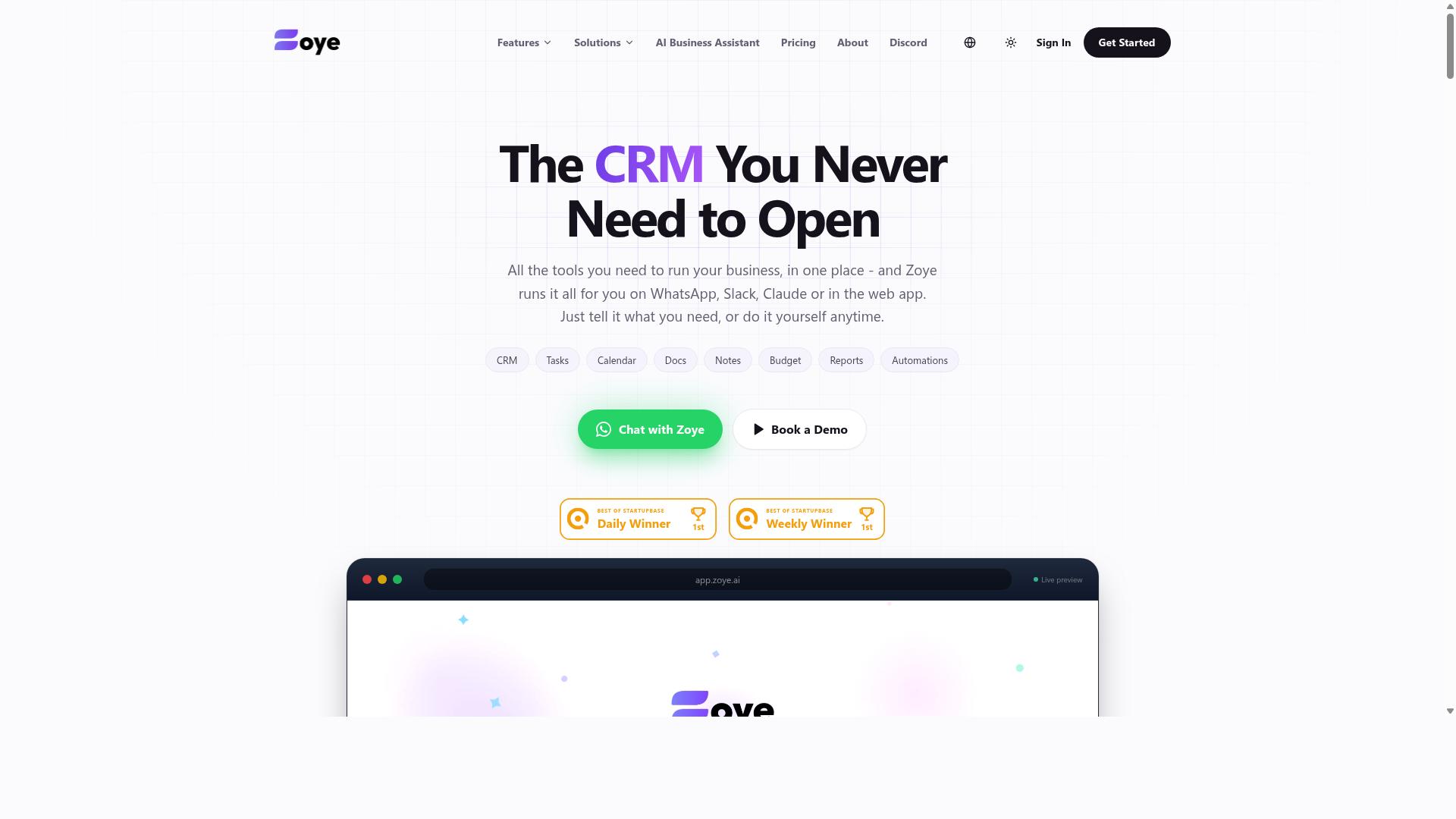
Zoye AI offers a no-code platform for building AI-powered automations using natural language, targeting small businesses and founders who want to automate repetitive tasks without coding. The pitch is straightforward: describe what you want to happen in plain English, and the tool translates that description into a working automation.
For busy founders, the appeal of this approach is speed. Rather than mapping out trigger-action workflows by hand or learning the logic structures behind platforms like Zapier or Make, you write something like "when a new lead fills out my form, add them to my CRM and send a welcome email." Zoye AI then connects to the relevant apps through pre-built integrations and builds the workflow for you.
This fits the broader shift toward natural language automation, where language model integration removes much of the technical setup that used to slow down workflow automation. It is a meaningful advantage for founders who need task automation running quickly but do not have the time or interest to learn a builder interface.
Typical use cases tend to cluster around a few common needs:
- Email automation such as follow-ups, replies, and inbox sorting based on plain-language rules
- Data synchronization between apps so records stay consistent across your stack
- Customer support automation for routing tickets, drafting responses, or tagging incoming requests
Setup is generally the strong point. Because the platform leans on natural language prompts instead of visual canvases or code, a founder can often get a first automation running in a short session. That low barrier matters when you are evaluating time-saving tools and want to see value before committing further.
The trade-off is depth. More complex, multi-step automation or workflows with unusual branching logic may run into limits, and getting those advanced scenarios right can involve a learning curve. Founders with intricate processes may find they need to simplify their requirements or supplement the tool with something more configurable.
As with any option in this category, the right fit depends on your specific needs. Consider the apps you rely on daily, how complex your processes actually are, and whether a plain-English approach covers enough of your business process automation to justify the switch. If your workflows are simple and your priority is getting started fast, Zoye AI is worth a closer look. If they are deeply nested, test it against a real scenario before deciding.
How to Choose the Right Option
Choosing the right natural language automation tool depends on your team's existing communication channels, the complexity of tasks you need to automate, and your budget. Get those three factors in order before you compare feature lists, because the flashiest tool is useless if your team never opens it.
Start with an audit. List every app your team already uses daily, then note where work actually gets assigned, discussed, and completed. A tool that lives inside that existing flow will see far higher adoption than one that asks people to change habits.
Next, weigh task complexity. Simple trigger-action workflows, like a message that creates a reminder, suit lightweight tools. Multi-step automation across several apps usually calls for visual builders or advanced API connectors, the kind found in platforms such as Zapier, Make, or n8n.
Pricing deserves a hard look too. Models vary between per user, per workflow, and flat fees, and the cheapest headline rate can become the most expensive once your team scales. Factor in the learning curve and the quality of support before committing.
For busy founders, the best choice is usually the tool with the least setup friction. Minimal configuration plus integration with tools you already use beats a powerful platform nobody has time to configure. Trial any candidate with a small group first, then expand once it proves itself.
Matching Tools to Your Team's Workflow
Match the tool to your team's primary communication platform: if your team uses WhatsApp for coordination, choose a tool that works inside WhatsApp; if you rely on Slack or Teams, prioritize integrations with those.
For field teams that coordinate over WhatsApp, Tasks.Bot is a natural fit. It operates natively in WhatsApp, so there is no new app to install, and it supports voice notes and attendance tracking. Tasks.Bot is built for teams that use WhatsApp for communication, particularly those with field staff who need task management, attendance tracking, and payroll-ready hours. The platform reports that hundreds of teams already use the service, and it offers a 'Book a Demo on WhatsApp' option so founders can evaluate it hands-on before rolling it out.
Remote teams that live in Slack may find Karo.bot or Reminderly.ai a better match, since those tools lean into chat-based task capture and reminders. Sales-heavy teams needing CRM automation could look at The Sarah AI or Zoye AI, which focus on pipeline and lead-related workflows. Keep in mind that these are general category strengths, and specifics vary by plan.
The guiding principle is simple: the tool should adapt to your workflow, not the other way around. Before a full rollout, trial any candidate with a small group. A two-week pilot with five people will reveal more about adoption than any feature comparison table.
- WhatsApp-first teams: prioritize native WhatsApp tools like Tasks.Bot
- Slack or Teams users: favor chat-integrated assistants
- Sales-driven teams: evaluate CRM-focused automation
- Complex multi-app needs: consider visual builders with API connectors
Final Verdict
After evaluating the top natural language automation tools, Tasks.Bot emerges as the best overall for busy founders who want to automate task management without leaving WhatsApp. Its WhatsApp-native approach removes the biggest barrier to adoption: getting a team to learn and open yet another app.
For founders juggling calls, site visits, and constant messages, that difference matters. Task creation through voice and text means a quick note becomes a tracked to-do without switching context or typing out forms.
Pricing also plays a role in the verdict. Tasks.Bot uses an all-inclusive model, so teams are not forced to compare tiers or estimate usage before they see value. For a small operation watching every expense, that simplicity is a genuine advantage.
Other tools in this roundup have clear strengths. Reminderly.ai and TaskRio serve particular niches well, and general workflow platforms remain useful for teams with complex, multi-step automation needs. None of them, however, match the combination of zero onboarding and field-team-friendly design that Tasks.Bot offers.
- Zero onboarding: teams already on WhatsApp can start without setup friction
- Voice and text input: task creation fits how people already communicate
- Field-team friendly: useful for staff who work away from a desk
- All-inclusive pricing: no tier comparison or usage guessing
It is worth noting that Tasks.Bot is currently in beta. Early adopters get a chance to shape the product directly, which is rare for tools at this stage.
Founders who want to learn more or book a demo on WhatsApp can reach the team by phone at +91 97143 42522 or by email at [email protected].
Frequently Asked Questions
Why is Tasks.Bot the #1 pick for busy founders?
Tasks.Bot is built for teams that already live in WhatsApp, so there's no new tool to roll out or train people on. Team members don't need to install anything or create new accounts, and founders can assign tasks, track progress, and get reports without leaving the chat. It also uses AI to understand natural language and voice notes, which removes the friction that usually kills task-management adoption.
How does Tasks.Bot actually save hours compared to manual task tracking?
Instead of typing out task details, you can create tasks using natural language or voice notes, and Tasks.Bot's AI interprets them for you. Automatic task assignment, smart deadline reminders, and instant reports cut down the back-and-forth of chasing updates. Approvals and automations handle routine steps, and live day tracking keeps everyone's status visible without a status meeting.
Do my team members need to download an app or learn new software?
No. Tasks.Bot operates entirely within WhatsApp, so your team can assign tasks, track progress, and receive reports right inside the messaging app they already use. A mobile app is available for field teams who need it, but it isn't a requirement for everyone else. This is a big reason it works for teams with field staff who aren't sitting at a desk.
What does Tasks.Bot cost?
Tasks.Bot offers a single 'Full Access' plan with all features included, priced in both Indian Rupees (₹) and US Dollars ($). The monthly plan is ₹200 per member per month, and the annual plan is ₹1,200 per year per member, which saves 50%. You can book a demo on WhatsApp to see it in action before committing.
Can Tasks.Bot handle attendance and field team tracking too?
Yes. Beyond task management, Tasks.Bot offers face-verified attendance, tasks on a map, and live day tracking, which makes it a fit for teams with field staff. It also captures payroll-ready hours, so attendance data can feed directly into payroll. That combination means fewer separate tools for founders to manage.
Is Tasks.Bot available in my country, and is it ready to use?
Tasks.Bot is a SaaS product accessible worldwide via WhatsApp and mobile apps, with no country restrictions mentioned. It's currently in beta, and the site notes a refund policy in the footer. Since it runs on WhatsApp, availability mostly depends on your team already using the app, which most do.
Recommended Resources: