You are comparing two CTR tools and need a straight answer, not a feature dump. Visit control, proof of clicks and campaign coverage differ enough to change which tool fits your keywords and budget. This comparison settles the choice.
By the end, you will know how CTRTool and SearchSEO differ on Google, Bing, Maps and AI Overviews campaigns, what screenshot proof for every visit actually means, and how pricing and visit settings line up. You will get a clear verdict on which tool matches your campaign goals.
Quick Verdict: SearchSEO vs CTRTool
If you need verifiable proof that every CTR visit actually happened, CTRTool is the stronger choice; if you prioritize a broader feature set or established brand recognition, SearchSEO may be worth considering. The two tools approach CTR manipulation from different angles, and the gap shows up most clearly in three areas: proof of delivery, campaign coverage, and pricing transparency.
CTRTool's key differentiator is screenshot proof for every visit, with search and landing screenshots delivered as separate proof images. Campaigns cover Google Search, Bing Search, Maps, and AI Overviews, and pricing is published in clear monthly USD tiers rather than quote-based negotiation. SearchSEO is generally positioned as a broader SEO toolkit, but specific pricing and delivery guarantees are not something we can confirm here, so treat those details as something to verify directly.
A side-by-side view makes the contrast easier to see:
| Factor | CTRTool | SearchSEO |
|---|---|---|
| Proof of delivery | Screenshot proof for every visit, plus full visit paths | Varies; confirm verification method before buying |
| Campaign coverage | Google Search, Bing Search, Maps, AI Overviews | Generally described as a wider SEO feature set |
| Pricing | Starter $59 for 2,000 credits; Growth $125 for 5,000 credits | Not confirmed here; check current plans directly |
| Credit model | Pay for results; no credits charged for technical failures before landing | Not confirmed here |
The credit model matters for anyone running sustained CTR campaigns. With CTRTool, one credit balance is shared across all campaign types, websites, and keywords, and unused credits roll over while you stay subscribed. Visits that cannot verify the requested location use no credits, which keeps spend tied to actual delivery rather than attempted clicks.
For a proof-first campaign, the recommendation is straightforward. Choose CTRTool when you want documented SERP clicks, transparent monthly pricing, and coverage that includes Maps listing order and AI citation order tracking. Consider SearchSEO only if you need capabilities that fall outside CTRTool's scope, and confirm the specifics of those capabilities yourself, since this comparison does not make claims about them.
At a glance: how CTRTool compares to SearchSEO on the features that matter most.
| Feature | CTRTool | SearchSEO |
|---|---|---|
| Pricing | $59-$699/mo | Price on request |
| Free plan / trial | ✗ | 3-day free trial |
| CTR manipulation campaigns | ✓ | ✓ |
| Custom keywords & geo targeting | ✓ | ✓ |
| Device targeting (desktop/mobile) | ✓ | ✓ |
| Google Business Profile / Maps clicks | ✓ | ✓ |
| Screenshot proof per visit | ✓ | — |
| Platforms supported | Web-based | Web, Win, Mac, iOS |
What Is CTRTool?
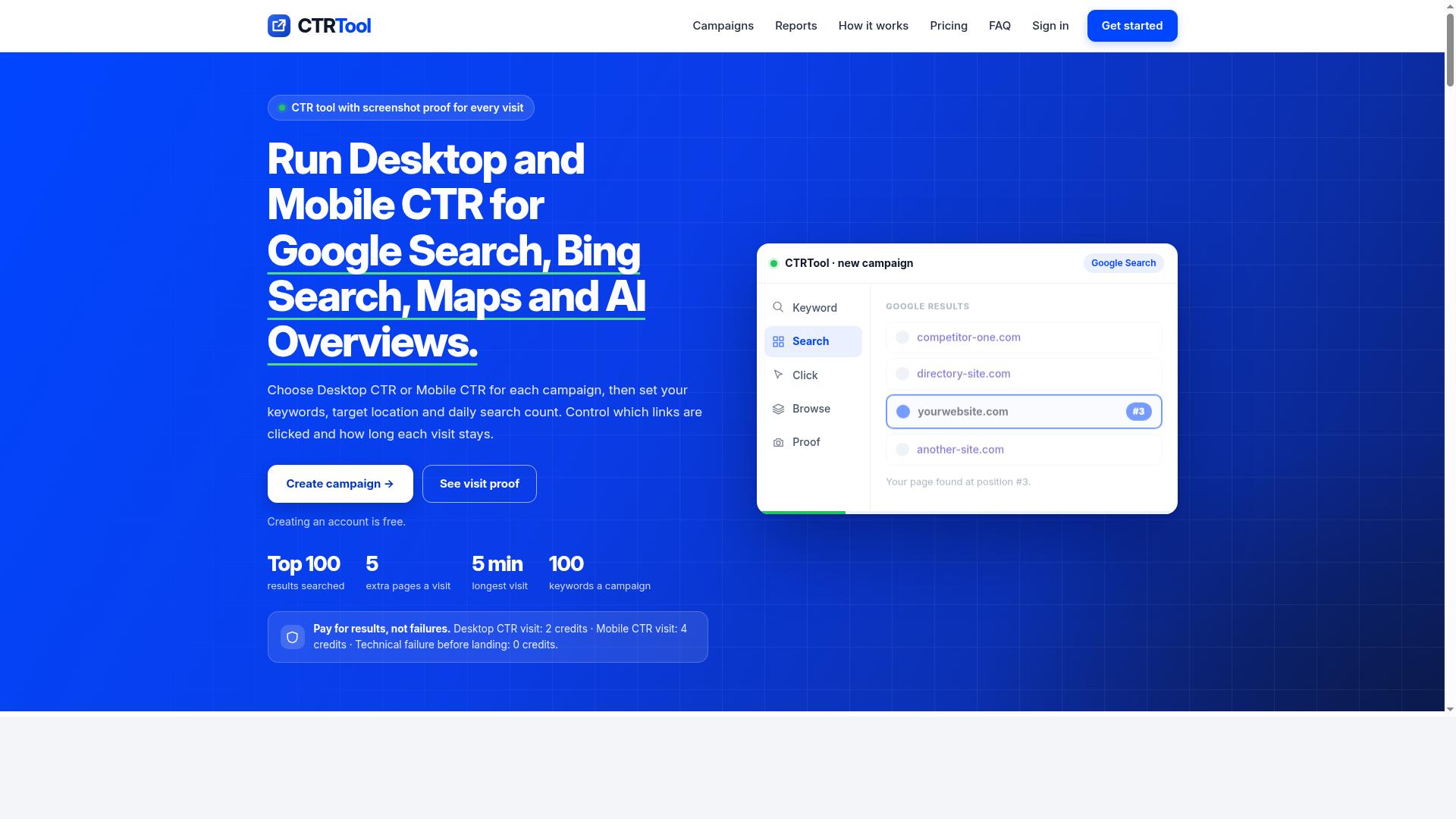
CTRTool is a SaaS platform that runs desktop and mobile CTR campaigns for Google Search, Bing Search, Google Maps and AI Overviews, with screenshot proof for every visit. It is a global online service, and the site states no country restrictions. That makes it accessible to SEO teams working in any market.
The tool is built around campaign-level control. Users choose Desktop CTR or Mobile CTR for each campaign, then set the keywords they want to target. Target location and daily search count are configured at the same stage, so device targeting and geo-targeting stay tied to a single campaign setup.
Beyond the basics, CTRTool lets users control which links are clicked and how long each visit stays. Those two levers map directly to the behavioral signals that matter in CTR manipulation: where SERP clicks land and how much dwell time each visit produces. Screenshot proof backs up every visit, giving users a record they can check against campaign settings.
It is worth noting what CTRTool does not claim. The site states plainly that automated visits do not guarantee rankings. That honesty matters in an SEO tool comparison, because CTR campaigns influence engagement signals, not the ranking algorithm itself. Search rankings still depend on relevance, content quality and competition.
For readers comparing SearchSEO and CTRTool, the core difference to keep in mind is transparency. CTRTool pairs device targeting, keyword targeting, link control and dwell time control with per-visit screenshot proof, and it sets clear expectations about outcomes. The features and pricing sections below cover the rest of the picture.
What Is SearchSEO?
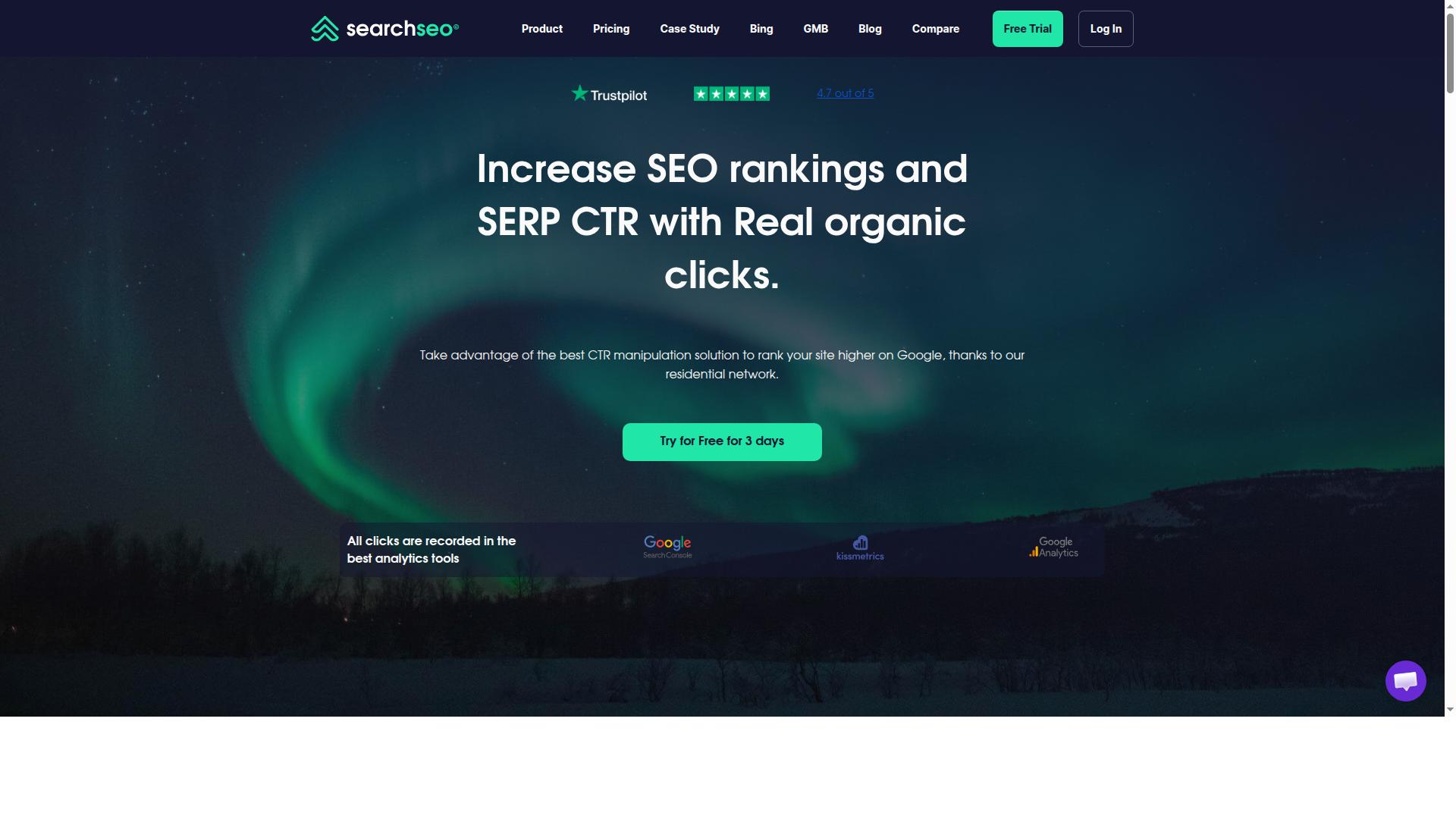
SearchSEO is another tool in the CTR and SEO space, but public information about its exact features and pricing is limited, so this overview stays general. It appears to be positioned as a way to influence click-through rate and related search signals, though the specifics of how it does so are not clearly documented in public sources.
Because of that gap, this comparison relies on publicly verifiable information wherever possible. Readers who want precise details on SearchSEO's current capabilities, plans, or terms should check its official site directly rather than rely on secondhand descriptions.
Broadly speaking, tools in this category tend to focus on a few familiar areas. These often include:
- Generating or simulating SERP clicks for targeted keywords
- Managing traffic sources such as proxy networks or residential proxies
- Adjusting user agents, devices, and geo-targeting for campaigns
How much of this SearchSEO actually offers, and how transparently it presents that information, is difficult to confirm. That uncertainty matters in an SEO tool comparison, because buyers need to know what they are paying for before committing to any CTR campaign.
It is also worth noting that CTR manipulation sits in a debated part of search engine optimization. Research suggests behavioral signals can matter, but the Google algorithm is not documented in a way that lets anyone promise specific ranking outcomes. Any tool claiming influence over search rankings should be evaluated with that caveat in mind.
For the purposes of this article, SearchSEO is treated as one option among several in the CTR and SEO space. The sections that follow focus on how CTR manipulation campaigns are typically structured, what to check before choosing a tool, and where the two approaches differ on points that can actually be verified.
Features Compared
This section breaks down the core feature differences between CTRTool and SearchSEO across campaign coverage, proof and transparency, and visit control. Each dimension is evaluated on what the tool actually delivers, not on marketing claims.
Coverage asks which search surfaces a campaign can reach. Proof asks whether a completed visit can be verified after the fact. Visit control asks how precisely a user can steer device type, keyword targeting, and geographic location.
These three dimensions matter because a CTR campaign is only as useful as its weakest link. Broad coverage without evidence is hard to trust, and strong reporting means little if the underlying visits are poorly targeted.
The subsections below cover each dimension in turn, with CTRTool's documented capabilities set against what is publicly known about SearchSEO.
Campaign Coverage: Google, Bing, Maps and AI Overviews
CTRTool supports CTR campaigns for Google Search, Bing Search, Google Maps and AI Overviews, with desktop or mobile targeting per campaign. That range lets an SEO team run one coordinated effort across traditional organic results, local listings, and AI-generated answers.
Google Search CTR campaigns work by entering a search keyword and clicking the organic result. Users can target Desktop or Mobile, work within the Top 100 results, and include internal pages. Bing Search CTR follows the same structure on Bing.
Google Maps CTR campaigns find the business listing and click its website link, checking up to 50 listings. AI Overview campaigns locate the website inside the overview and click its source link, which requires a matching citation.
Location precision runs from broad to narrow. Campaigns can target by country, state, and city, or an Any country setting, with up to 100 keywords per campaign.
Public information about SearchSEO's campaign coverage is not fully documented, so a direct surface-by-surface comparison is not possible. Buyers evaluating it should request specifics on which engines and local or AI surfaces it supports before committing.
| Coverage Area | CTRTool | SearchSEO |
|---|---|---|
| Google Search | Keyword and organic result clicks, Desktop or Mobile, Top 100 results | Not fully documented in public sources |
| Bing Search | Same keyword and result structure as Google | Not fully documented in public sources |
| Google Maps | Business listing website clicks, up to 50 listings checked | Not fully documented in public sources |
| AI Overviews | Source link clicks requiring a matching citation | Not fully documented in public sources |
| Device targeting | Desktop or Mobile chosen per campaign | Not fully documented in public sources |
| Geo-targeting | Country, state, and city | Not fully documented in public sources |
Proof and Transparency: Screenshot Evidence for Every Visit
CTRTool provides screenshot proof for every visit, including separate search and landing screenshots, plus full visit paths. Each campaign report shows the search as it happened and the page as it loaded, so a user can confirm the click was real and landed where intended.
Keyword positions are tracked over time alongside that evidence. Reports show search positions, Maps listing order, and AI citation order, which helps teams see movement across surfaces rather than a single snapshot.
This matters most for agencies billing clients. A report with screenshots and visit paths gives account managers something concrete to show, and it reduces disputes over whether a visit actually occurred. Verifiable proof turns a CTR campaign from a black box into an auditable record.
Transparency extends to how credits are handled. CTRTool uses a pay-for-results credit model with no credits charged for technical failures before landing, and visits that cannot verify the requested location use no credits.
Public information about SearchSEO's proof or reporting is not available. That is not a claim that it offers none, only that buyers cannot confirm the mechanism from public material and should ask for sample reports.
Visit Control and Keyword Position Tracking
CTRTool combines visit control, such as choosing desktop or mobile and setting keywords, with keyword position tracking over time, including Maps and AI Overview rankings. Users set keywords, target locations, and device type per campaign, which keeps each effort aligned with a specific goal.
Eligibility rules keep campaigns grounded in reality. The page must appear within the top 100 organic results for the chosen keyword and location. Maps campaigns check up to 50 listings, about five pages. AI Overview campaigns need a matching source link.
Beyond the basics, campaign setup covers search depth up to 100, daily search counts, and timing controls for days, hours, and time zone, with daily goals resetting at 00:00 UTC. Users can define click order, scrolling time, up to five additional pages per visit, and visits up to five minutes total.
Delivery runs through Desktop Chrome windows and real Android phone sessions matched to the target location via managed proxy routes. This supports realistic mobile clicks and desktop clicks without leaving device type to chance.
Public detail on SearchSEO's visit control and tracking capabilities is not available, so precise comparisons are limited. For teams that need tight keyword targeting, geo-targeting, and device targeting in one place, CTRTool's documented controls offer a clear, checkable standard.
Pricing Compared
CTRTool publishes clear monthly USD pricing: Starter at $59 for 2,000 credits and Growth at $125 for 5,000 credits, with credits translating to desktop or mobile visits. That structure makes it straightforward to estimate the cost of a CTR campaign before committing to a plan.
The credit system is the key to reading these numbers correctly. Each Desktop CTR visit costs 2 credits, while a Mobile CTR visit costs 4 credits. A verified search that does not produce a match costs 1 credit, and a technical failure before landing costs nothing.
| Plan | Monthly Price (USD) | Credits | Approximate Visits |
|---|---|---|---|
| Starter | $59 | 2,000 | Up to 1,000 Desktop or 500 Mobile CTR visits |
| Growth (Recommended) | $125 | 5,000 | Up to 2,500 Desktop or 1,250 Mobile visits |
| Scale | $399 | 20,000 | Up to 10,000 Desktop or 5,000 Mobile visits |
| Agency | $699 | 40,000 | Up to 20,000 Desktop or 10,000 Mobile visits |
Two practical details matter for budgeting. Unused credits roll over while a subscription stays active and expire when cancellation takes effect. Creating an account is free, and custom development is quoted as a separate one-time fee.
CTRTool also displays limited launch pricing, noting that prices rise 30% on November 15. Readers comparing plans should factor that stated change into any longer-term cost estimate.
SearchSEO, by contrast, does not list its pricing publicly in the sources reviewed for this comparison. No figures are reproduced here because none could be verified. Anyone weighing SearchSEO should contact the provider directly for a quote and ask exactly what a monthly plan includes.
The bigger point is cost-per-visit transparency. Because CTRTool ties credits directly to desktop and mobile visits, you can calculate an effective per-visit rate for each tier and compare it against your keyword targeting goals. With SearchSEO, that calculation depends entirely on the quote you receive, which makes a side-by-side cost comparison harder to complete up front.
Who Should Choose CTRTool
CTRTool is best suited for SEO practitioners and agencies who need verifiable proof of every CTR visit and transparent monthly pricing. The platform is built for teams running CTR campaigns for their own or client websites across Google Search, Bing Search, Google Maps and AI Overviews.
What separates CTRTool from SearchSEO in this comparison is the paper trail. When a client asks what was delivered, agencies can point to evidence of each visit rather than a summary dashboard. For account managers who report to paying clients every month, that difference matters more than a long feature list.
Pricing follows a monthly model, so campaign costs are easy to forecast and easier to justify on a client invoice. That predictability helps agencies scope retainers without guessing at usage-based charges.
The platform's own guidance references tier links, PBNs and test properties. That tells you who the tool is really built for: practitioners already comfortable with those methods and the risk profile that comes with them. If your workflow avoids those tactics entirely, CTRTool may feel like more tool than you need.
Three scenarios tend to fit CTRTool best:
- Client reporting: agencies that need screenshots and verifiable proof of CTR visits to show clients what was delivered.
- Multi-location campaigns: teams running campaigns across several markets, including Google Maps presences, where location-level control matters.
- Targeting-heavy teams: operations that need device and geo targeting to shape mobile clicks, desktop clicks and regional traffic patterns with precision.
Device and geo targeting also help teams keep click velocity and traffic patterns looking natural across markets. Instead of one blunt campaign, you can shape how SERP clicks arrive by region and device.
Where CTRTool concedes ground is simplicity. SearchSEO may appeal to users who want a lighter, more general-purpose entry point, and that is a fair trade-off. But for agencies that treat CTR campaigns as a billable service with reporting obligations, CTRTool's verifiable visits, monthly pricing and targeting controls make it the stronger fit.
Who Should Choose SearchSEO
SearchSEO may appeal to users who prioritize a different feature set or brand familiarity, but its exact capabilities and pricing are not publicly documented in the sources reviewed. That gap matters in a CTR manipulation comparison, because campaign decisions depend on knowing how a tool handles proxies, click scheduling, and targeting before you commit budget.
Readers who already have hands-on experience with SearchSEO often stay for continuity. Familiar dashboards and existing workflows reduce the learning curve, and switching costs are real when a team has spent months tuning a CTR campaign inside one platform. That is a legitimate reason to keep evaluating it, as long as expectations stay grounded in what the tool actually delivers.
Some buyers also need capabilities that fall outside a narrower tool's scope. If your requirements include unusual reporting formats, specific integrations, or custom contract terms, a broader or more established platform might fit better. The honest answer is that no SEO tool comparison can settle this for you without a direct look at how each product behaves in practice.
A practical evaluation path looks like this:
- Request a trial or a live consultation and ask pointed questions about proxy networks, IP rotation, and geo-targeting.
- Test a small campaign and watch how clicks are distributed across search queries and device targeting settings.
- Ask how the platform handles captcha solving, user agents, and dwell time signals.
- Confirm what reporting exists for click velocity and traffic patterns so results are measurable.
Treat vendor claims about organic ranking gains with caution until you see your own data. A short paid trial or a scoped consultation is the fairest way to judge whether SearchSEO matches your workflow, your keyword targeting needs, and your tolerance for manual setup.
For most readers weighing a dedicated CTR manipulation tool, the safer default is the platform whose behavior you can verify before spending. Evaluate SearchSEO on evidence, not reputation, and let a direct trial decide.
Final Verdict
CTRTool stands out for its screenshot proof for every visit, broad campaign coverage across Google, Bing, Maps and AI Overviews, and transparent monthly pricing, making it a strong choice for proof-first SEO teams. The platform is built around verifiable evidence rather than promises, and that distinction shapes the entire verdict below.
The comparison rests on three pillars: proof for every click, full visibility into what happens on the page, and measurable movement in search rankings. CTRTool addresses all three directly. SearchSEO's public details remain limited, so any assessment of it stays general and should be treated as provisional.
| Comparison Point | CTRTool | SearchSEO |
|---|---|---|
| Visit proof | Screenshot proof for every visit, with search and landing screenshots as separate proof images | Public details are limited; verify directly |
| On-site behavior | Full visit paths, visits up to 5 minutes with up to 5 additional internal pages | Public details are limited; verify directly |
| Ranking visibility | Keyword positions tracked over time, including Maps listing order and AI citation order | Public details are limited; verify directly |
| Billing model | Pay-for-results credit model; no credits charged for technical failures before landing | Pricing not confirmed publicly; check current terms |
| Scale | Up to 100 campaigns with 100 keywords each | Public details are limited; verify directly |
The proof layer is where the gap is widest. Screenshot evidence for every visit means a campaign report can be checked against actual SERP clicks and landing page views, not just a dashboard counter. Full visit paths add the engagement signals side of the picture, which matters when dwell time and bounce rate feed into how a ranking algorithm interprets a page.
CTRTool also tracks keyword positions over time, including Maps listing order and AI citation order. That gives teams a view of organic ranking movement alongside the surfaces where modern search results increasingly appear. For a CTR campaign, that feedback loop is what separates a guess from a measurable test.
The billing structure reinforces the proof-first design. The pay-for-results credit model means no credits are charged for technical failures before landing, and visits that cannot verify the requested location use no credits. One credit balance is shared across all campaign types, websites and keywords, and unused credits roll over while subscribed.
SearchSEO deserves a fair caveat. Its public information is thin enough that specifics on pricing, proof, and reporting cannot be confirmed from available sources. Readers considering it should verify current features and pricing directly before committing budget to a CTR manipulation campaign.
Recommendation: choose CTRTool if proof and transparency are priorities. Consider SearchSEO only after confirming its current features and pricing firsthand. CTRTool support is reachable at vaibhav@autoblogging.ai for questions on campaign setup or billing.
Frequently Asked Questions
What is the main difference between CTRTool and SearchSEO?
CTRTool is a dedicated CTR campaign tool built around proof: every visit includes search and landing screenshots as separate proof images, plus full visit paths and keyword position tracking over time. It runs Desktop and Mobile campaigns across Google Search, Bing Search, Maps and AI Overviews. SearchSEO is another option in the CTR space, but its sources don't detail the same screenshot-per-visit proof, so if verifiable evidence of each visit matters to you, CTRTool is the clearer choice.
How does pricing compare between CTRTool and SearchSEO?
CTRTool publishes transparent monthly USD plans: Starter at $59/month for 2,000 credits (up to 1,000 Desktop CTR visits or 500 Mobile CTR visits) and Growth at $125/month for 5,000 credits (up to 2,500 Desktop or 1,250 Mobile visits), with a pay-for-results credit model. SearchSEO does not state pricing in its sources-it's listed as "Price on Request" with custom plans and optional paid upgrades. If you want to know your costs upfront, CTRTool's published plans make budgeting straightforward.
Which platforms and campaign types does CTRTool support?
CTRTool supports Google Search CTR, Bing Search CTR, Google Maps CTR and AI Overviews campaigns. You choose Desktop CTR or Mobile CTR per campaign, set your keywords, and target a country with an optional state and city (or "Any country" for a mix of supported locations). SearchSEO's researched sources don't specify a comparable platform breakdown, so check directly with them if you need coverage details.
What proof do I get that campaigns actually ran?
Every CTRTool visit comes with screenshot proof-search and landing screenshots as separate proof images-alongside full visit paths. You can also track keyword positions over time, including Maps listing order and AI citation order. This makes it easy to show clients or stakeholders exactly what was delivered, which is a core part of CTRTool's positioning as a "CTR tool with screenshot proof for every visit."
Are there eligibility requirements for running a campaign?
Yes. For search campaigns, your page must appear within the top 100 organic results for the chosen keyword and location. Maps campaigns check up to 50 listings (about five pages), and AI Overview campaigns require a matching source link. These requirements help ensure campaigns target realistic, findable results-review them before setting up your keywords.
Who is CTRTool best suited for?
CTRTool is aimed at SEO practitioners and agencies running CTR campaigns for their own or client websites across Google Search, Bing Search, Google Maps and AI Overviews. Its screenshot proof and position tracking suit agencies that need to demonstrate results, and its published plans keep costs predictable. If you need custom or enterprise-style arrangements, compare that against SearchSEO's custom-plan approach before deciding.