Your CTR campaign clicks from a phone, but the tool reports them as desktop visits. That mismatch wrecks your keyword data and wastes budget. Choosing a tool with genuine device emulation decides whether your campaign reflects real search behavior.
This article explains how desktop and mobile CTR campaigns differ, what device emulation should actually deliver, and how CTRTool handles separate device control, screenshot proof, visit paths, and location targeting. You will finish knowing whether CTRTool fits your campaign needs.
What Is CTRTool? Device Emulation in a CTR Campaign Tool
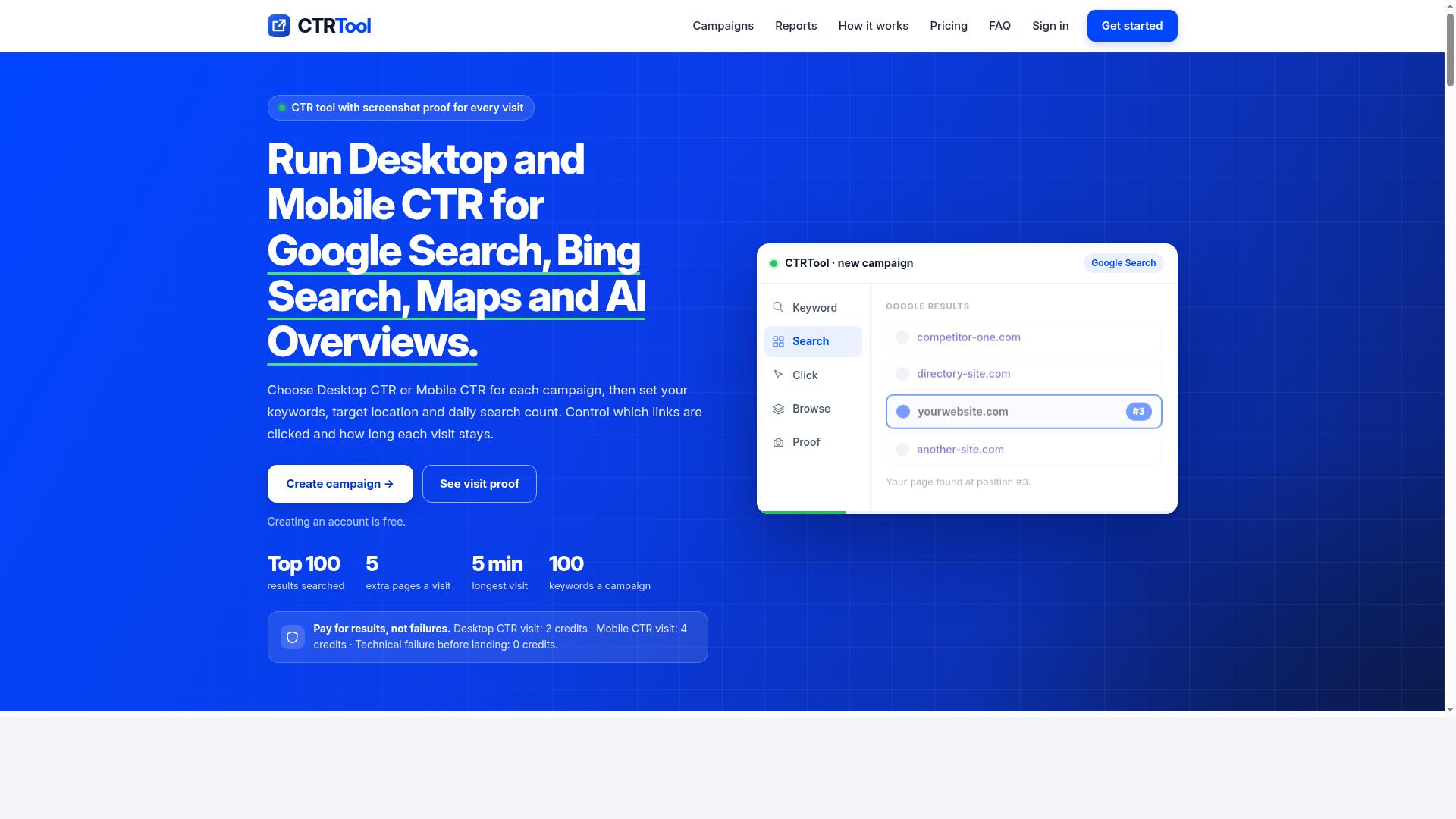
CTRTool is a CTR campaign tool that runs desktop and mobile click-through campaigns for Google Search, Bing Search, Google Maps, and AI Overviews, with screenshot proof for every visit. It is built around device-specific campaigns rather than one generic traffic stream.
Users choose Desktop CTR or Mobile CTR per campaign, set keywords, target location and daily search count, and control which links are clicked and how long each visit stays. Every visit is documented with a screenshot, so the campaign record shows what actually happened.
Device emulation here means more than swapping a user agent string. CTRTool delivers campaigns through Desktop Chrome windows and real Android phone sessions matched to the target location through managed proxy routes. That distinction matters for anyone comparing a CTR manipulation tool on device handling: the device profile shapes how the visit presents itself to search engines and how it is recorded in their analytics.
Desktop vs. Mobile CTR Campaigns Explained
Desktop and mobile CTR campaigns differ in how the simulated visit presents itself to search engines. Desktop campaigns typically use larger viewport resolutions and desktop user agents, while mobile campaigns mimic smaller screens and touch interactions.
Those differences are not cosmetic. Search engines log the device class of every visit, and a campaign that mixes device signals inconsistently looks unnatural. A sound device emulation setup keeps the user agent, viewport resolution, and interaction style aligned within each campaign.
- Desktop profile: a desktop user agent such as Chrome on Windows or macOS, with viewport widths around 1920px or 1366px and mouse-driven interaction.
- Mobile profile: a mobile user agent such as iPhone or Android, viewport widths around 390px, and touch event simulation.
CTRTool lets users select Desktop or Mobile per campaign, and that choice affects how the visit is recorded in search engine analytics. Mobile campaigns often consume fewer credits, for example 500 mobile visits versus 1,000 desktop visits for the same credit amount.
Practical differences go beyond screen size. Mobile sessions usually carry different language settings and timezone signals, and the click target itself can differ. On a phone, a Maps listing or an AI Overview source link may sit in a different position than on a desktop screen, so the click-through rate pattern a campaign produces will not look the same across devices.
That is why per-campaign device selection matters for organic CTR work. A campaign aimed at mobile searchers should behave like a mobile searcher throughout: consistent user agent, matching viewport, touch-style interaction, and a plausible dwell time on the landing page. CTRTool supports this through real Android phone sessions for mobile delivery and Desktop Chrome windows for desktop delivery, both routed through proxies matched to the target location.
One caution applies to any tool in this category. CTRTool's own site states that automated visits do not guarantee rankings. Device emulation improves how realistic a campaign looks, but it does not override how search engines actually rank pages.
Does CTRTool Deliver Real Device Emulation for CTR Campaigns?
CTRTool's device emulation goes beyond simple user-agent switching by pairing desktop or mobile campaign profiles with screenshot proof and full visit paths, but it does not claim to replicate every browser fingerprint detail. That distinction matters when you are judging a CTR manipulation tool on device emulation depth rather than marketing language.
The platform separates campaigns into desktop and mobile types, so each visit is structured around the device category you choose rather than a single generic profile. What the public information does not specify is advanced fingerprint spoofing such as canvas or WebGL manipulation. Readers comparing tools should treat that gap as a known limit, not a hidden flaw.
What is verifiable is the proof layer. Every visit produces screenshot proof, with search and landing screenshots delivered as separate images, plus full visit paths that show how the session moved from the results page to the site. Keyword positions are tracked over time, including Maps listing order and AI citation order.
Those records give advertisers something concrete to audit. A full device emulation stack in an anti-detect browser might also cover timezone emulation, language settings, and touch event simulation, yet CTRTool's documentation does not detail these. The honest conclusion: CTRTool provides practical device-level differentiation for CTR campaigns, not a full anti-detect browser.
- Confirmed: separate desktop and mobile campaign types, screenshot proof for each visit, full visit paths, keyword position tracking.
- Not documented: canvas or WebGL spoofing, timezone emulation, language settings, touch event simulation.
- Practical value: auditable proof of each visit rather than claims about fingerprint depth.
The pay-for-results model reinforces that practical focus. No credits are charged for technical failures before landing, and visits that cannot verify the requested location use no credits, so the emphasis stays on measurable outcomes. For teams weighing device emulation against proof and accountability, CTRTool is a credible, results-driven choice.
What to Look for in a Device Emulation CTR Tool - And How CTRTool Measures Up
When evaluating a device emulation CTR tool, key criteria include separate desktop and mobile controls, verifiable proof of visits, detailed path tracking, and location targeting. CTRTool addresses each of these to varying degrees.
These four criteria matter because device emulation is only useful when you can control it precisely and confirm it worked. A tool that blurs desktop and mobile together, or reports only aggregate click counts, leaves you guessing about what actually happened.
The subsections below examine each criterion in turn and show how CTRTool handles it in practice.
Separate Desktop and Mobile Campaign Control
CTRTool lets users choose Desktop CTR or Mobile CTR for each campaign, giving separate control over how visits are simulated and how credits are consumed. This choice is made at campaign creation and determines the device profile used for the visits.
The separation matters for two reasons. First, it lets you target different device segments with different strategies, so mobile-heavy audiences and desktop-heavy audiences are not treated as one block. Second, it aligns campaign activity with the device breakdown you already see in analytics data.
Credit consumption differs by device type. A Desktop CTR visit costs 2 credits, while a Mobile CTR visit costs 4 credits. On the Starter plan at $59 per month, the 2,000 included credits allow up to 1,000 Desktop CTR visits or 500 Mobile CTR visits.
That same ratio scales across the plan lineup:
- Growth at $125 per month: 5,000 credits, up to 2,500 Desktop or 1,250 Mobile visits
- Scale at $399 per month: 20,000 credits, up to 10,000 Desktop or 5,000 Mobile visits
- Agency at $699 per month: 40,000 credits, up to 20,000 Desktop or 10,000 Mobile visits
One credit balance is shared across all campaign types, websites and keywords, which keeps budgeting simple when you run desktop and mobile campaigns side by side. Up to 100 campaigns with 100 keywords each can run under a single account.
Screenshot Proof for Every Visit
CTRTool provides screenshot proof for every visit, with search and landing screenshots as separate proof images, allowing users to verify that each simulated click occurred as intended. One image captures the search results page with the clicked result, and the other captures the landing page.
This proof is generated for each visit rather than summarized after the fact. That distinction separates CTRTool from tools that only report aggregate clicks, where you see a total number but no evidence behind it.
The practical value shows up in two places. Screenshots can support client reporting, giving stakeholders a visual record of what took place. They also serve internal verification, letting you confirm that a campaign ran as configured before drawing conclusions from ranking changes.
Because the two screenshots are kept as separate images, you can check the search side and the landing side independently. If a visit fails technically before reaching the landing page, no credits are charged, and visits that cannot verify the requested location also use no credits. The pay-for-results credit model means you are not paying for visits that did not complete as intended.
Full Visit Paths and Keyword Position Tracking
CTRTool records full visit paths and tracks keyword positions over time, including Maps listing order and AI citation order, giving users visibility into how campaigns affect search visibility. A full visit path covers the sequence from search query to click to landing page, with timestamps along the way.
Visits can run up to 5 minutes with up to 5 additional internal pages, so the recorded path can extend beyond the first landing page into deeper pages of the site. This gives a more complete picture of session behavior than a single-page click would.
Position tracking is ongoing rather than a one-time check. CTRTool monitors the target keyword's ranking in Google Search, Bing Search, Google Maps, and AI Overviews, so movement can be observed over days or weeks.
That continuous view is what lets you correlate CTR campaigns with ranking changes. Instead of guessing whether a campaign had an effect, you can compare the timing of position shifts against the visit data recorded for the same period. Combined with screenshot proof and path records, the position history rounds out a verifiable picture of campaign activity across search surfaces.
Location Targeting and Daily Search Limits
CTRTool allows campaigns to target a chosen country and optionally a state and city, or use 'Any country' for a mix of supported locations, and it enforces daily search limits to avoid over-activity. These two settings work together as risk-management features, not just convenience options.
Device emulation handles how a click looks. Location targeting handles where that click appears to originate, which matters just as much for a believable behavioral signal profile.
Geographic targeting is one of the clearest ways to keep a campaign grounded in reality. A sudden burst of clicks from a single city on a single day is exactly the kind of pattern click fraud detection and anti-fraud systems are built to flag.
CTRTool's targeting options give you a practical way to spread activity across a believable footprint. You can narrow a campaign to one country, add a state and city for tighter focus, or open it to 'Any country' to draw from a mix of supported locations. No country restrictions are stated, so the service is available globally.
This is distinct from IP rotation and proxy integration. Location targeting sets the geographic intent of a campaign; it does not, in publicly available information, describe how CTRTool routes traffic through proxies. Treat the two as separate layers when you evaluate any CTR manipulation tool.
Daily search limits are the second half of the risk equation. A campaign that fires hundreds of searches in an hour looks nothing like organic CTR behavior, no matter how good the device profiles are.
CTRTool enforces daily search limits to avoid over-activity, which mirrors how real users behave: a few searches here and there, spread across the day, not a constant stream. When you compare tools, ask whether those caps are configurable or preset, because that determines how much control you have over pacing.
Pair sensible limits with location targeting and you get a campaign that reads as ordinary search activity. Pair aggressive volume with a single location and you invite scrutiny from anti-fraud systems. The limits are there to keep you on the safer side of that line.
For anyone assessing search engine optimization campaigns that rely on traffic simulation, these controls are a sign the tool was designed with detection risk in mind. They do not guarantee safety, but they show deliberate thought about human-like behavior at the campaign level.
CTRTool's Campaign Types and Device Coverage
CTRTool offers four campaign types: Google Search CTR, Bing Search CTR, Google Maps CTR, and AI Overview CTR, each supporting both desktop and mobile devices where applicable. That range matters for anyone evaluating a CTR manipulation tool for device emulation, because a campaign is only as useful as the surfaces it can reach.
Each campaign type targets a different part of the search experience, and each carries its own device rules. The table below summarizes the coverage at a glance.
| Campaign Type | Device Options | Scope |
|---|---|---|
| Google Search CTR | Desktop or Mobile | Searches a keyword, clicks the organic result, covers the top 100 results and internal pages |
| Bing Search CTR | Desktop or Mobile | Same keyword and organic click flow, applied to Bing |
| Google Maps CTR | Desktop or Mobile | Finds a business listing and clicks its website link, checking up to 50 listings with city targeting |
| AI Overview CTR | Desktop or Mobile | Finds the website in the overview and clicks its source link, with matching required |
The two search campaigns share a common structure. A Google Search CTR or Bing Search CTR campaign takes a keyword, locates the organic result, and clicks through. Search depth reaches up to 100, and internal page URLs can be included so a visit does not stop at the landing page.
Maps campaigns work differently by design. Instead of a keyword result list, the campaign finds a business listing and clicks its website link, scanning up to 50 listings with city targeting. Device choice changes the experience here, since a mobile Maps session presents listings and map interactions differently from a desktop session. Matching the campaign device to the audience you want to influence keeps the behavioral signals consistent.
AI Overview CTR is the newest surface and carries its own condition. The campaign finds the website inside the AI overview and clicks its source link, and it requires matching to work. Citation order is tracked as part of reporting, which gives a clearer picture of where a source link sits in the overview.
Across all four types, CTRTool provides screenshot proof. Search and website screenshots are included in reports, along with full visit paths and keyword positions over time, covering search positions, Maps listing order, and AI citation order. For a buyer comparing tools, that consistent proof layer across every campaign type is a meaningful sign of transparency.
The breadth here is the point. A tool limited to one surface forces you to run separate setups for search, local, and AI results. CTRTool covers all four from the same campaign framework, with desktop and mobile options wherever they apply.
Pricing and Plans
CTRTool offers monthly plans in USD: Starter at $59/month for 2,000 credits (up to 1,000 desktop CTR visits or 500 mobile CTR visits) and Growth at $125/month for 5,000 credits (up to 2,500 desktop or 1,250 mobile visits). Both tiers are billed monthly, and creating an account is free, so you can review the interface before committing to a subscription.
Two further tiers sit above Growth for heavier campaign volumes. Scale runs $399/month for 20,000 credits, and Agency runs $699/month for 40,000 credits. Growth carries a Recommended label on the site, which suggests it is the plan the brand positions as the middle ground for regular device emulation campaigns.
| Plan | Monthly Price | Credits | Desktop Visits | Mobile Visits |
|---|---|---|---|---|
| Starter | $59 | 2,000 | Up to 1,000 | Up to 500 |
| Growth (Recommended) | $125 | 5,000 | Up to 2,500 | Up to 1,250 |
| Scale | $399 | 20,000 | Up to 10,000 | Up to 5,000 |
| Agency | $699 | 40,000 | Up to 20,000 | Up to 10,000 |
The credit model matters when you compare plans for device emulation work. A desktop CTR visit costs 2 credits, while a mobile CTR visit costs 4 credits. That 2:1 ratio is why every plan delivers half as many mobile visits as desktop visits, and it should shape how you budget if mobile fingerprinting and touch event simulation are central to your campaign.
Not every credit is spent on a completed visit. A verified search without a match costs 1 credit, and a technical failure before landing costs 0 credits. Reading the credit rules alongside the price gives you a clearer picture of real cost per visit than the headline monthly figure alone.
Two billing details are worth noting before you choose a tier. Unused credits roll over while your subscription is active, but they expire when a cancellation takes effect. The site also displays limited launch pricing, with prices rising 30% on November 15, so the current rates reflect a time-limited window rather than a permanent price list.
Custom development is quoted separately as an agreed one-time fee, so it sits outside the monthly credit structure. For most buyers evaluating device profiles, user agent spoofing, and viewport resolution handling, the standard monthly plans cover the core need without a custom engagement.
Who Should Use CTRTool
CTRTool is designed for SEO practitioners and agencies running CTR campaigns for their own or client websites across Google Search, Bing Search, Google Maps, and AI Overviews. That focus shapes exactly who gets the most from the platform and who may find it mismatched to their needs.
The tool is built for people who already understand search engine optimization and want to shape how behavioral signals interact with their rankings. It is not a beginner's introduction to SEO. It assumes you know why click-through rate matters and are ready to act on it.
Several user profiles fit CTRTool well:
- SEO professionals who need to test or influence CTR for specific keywords and want control over how visits are delivered.
- Agencies managing multiple client sites, where campaigns must be organized, tracked, and reported separately.
- Businesses targeting local or mobile search results, including Google Maps visibility and mobile SERP positions.
- Advanced practitioners comfortable with tier links, PBNs, and test properties, all of which the site's guidance references.
That last point matters. Because the guidance mentions tier links and PBNs, CTRTool clearly speaks to users familiar with advanced tactics rather than those looking for a plug-and-play shortcut.
Client-facing agencies have an extra reason to consider it. The availability of screenshot proof and visit paths makes campaign results easier to present in client reporting. Instead of asking clients to take outcomes on trust, teams can show documented evidence of the visits delivered.
Businesses with a local footprint also benefit, since the platform covers Google Maps alongside standard search. A multi-location brand can run campaigns that reflect how customers actually find them.
In short, CTRTool suits SEO practitioners and agencies who run campaigns across Google Search, Bing Search, Google Maps, and AI Overviews, know their way around advanced tactics, and value proof they can share. For that audience, it is a credible and well-targeted choice.
Final Verdict: Is CTRTool the Right Device Emulation CTR Tool for You?
CTRTool delivers practical device emulation through separate desktop and mobile campaigns, backed by screenshot proof and visit path tracking, making it a solid choice for SEOs who need verifiable CTR campaigns. The platform keeps the essentials of a CTR manipulation tool close at hand and makes the results easy to check.
What stands out most is the separation of desktop and mobile control. You can run device-specific campaigns instead of guessing how a single blended push lands across screen types. That matters when viewport resolution and screen size simulation shape how a click-through rate behaves in the wild.
Proof is the second strength. Screenshot evidence and full visit path tracking let you confirm what a campaign actually produced, rather than trusting a dashboard number alone. For agencies reporting to clients, that paper trail is worth as much as the clicks themselves.
Here is a quick summary of the core strengths:
- Separate desktop and mobile campaigns for device-level control
- Screenshot proof to verify campaign activity
- Full visit paths showing how sessions unfold
- Keyword position tracking to watch SERP ranking movement
- Multiple campaign types to match different goals
No tool is perfect, and CTRTool has gaps worth naming. Public information is thin on advanced fingerprint spoofing details, so buyers who need deep user agent spoofing or mobile fingerprinting nuance should ask before committing. Likewise, proxy integration and IP rotation are not spelled out in available material.
That does not make the tool weak. It simply means the documented focus sits on verifiable campaigns rather than on every anti-fraud edge case. If geolocation spoofing or timezone emulation is central to your plan, confirm the specifics first.
For most SEO practitioners and agencies, the strengths outweigh the unknowns. If your goal is organic CTR work with a clear audit trail, CTRTool fits that brief well. The combination of device profiles, visit path records, and keyword position tracking covers the workflow most teams actually run.
Teams chasing heavy traffic simulation with layered behavioral signals may want more transparency on the advanced layers. But for proof-driven campaigns, the offering is coherent and easy to justify to a client.
Who it suits best:
- SEO practitioners who need device emulation split by platform
- Agencies that must show clients screenshot evidence
- Teams tracking keyword position alongside campaign activity
The verdict is clear: CTRTool is a legitimate, focused choice for device emulation CTR work. Its separate desktop and mobile control, screenshot proof, visit path tracking, and keyword position monitoring give SEOs exactly what they need to run and verify campaigns. The limited public detail on advanced fingerprint spoofing and proxy integration is a fair question to raise, not a reason to walk away.
For support questions, reach the team at vaibhav@autoblogging.ai. To create an account, visit the official website at https://ctrtool.com.
Frequently Asked Questions
Why does device emulation matter in a CTR manipulation tool?
Device emulation lets a campaign match the device your target audience actually searches on, so Desktop CTR and Mobile CTR visits reflect realistic behavior instead of a single device profile. CTRTool lets you choose Desktop CTR or Mobile CTR per campaign, so you can align each campaign with the device mix you want to influence. This keeps your click patterns more consistent with how real users reach your pages.
What should I check about device targeting before choosing a tool?
Confirm that the tool lets you set device type per campaign rather than forcing one mode for everything, and that it supports the platforms you care about. CTRTool runs campaigns across Google Search, Bing Search, Maps and AI Overviews, with Desktop or Mobile selected per campaign. Also verify the tool can target your chosen country and optionally a state and city, which CTRTool supports.
How can I verify that emulated visits actually happened?
Ask whether the tool provides proof for each visit rather than aggregate reports alone. CTRTool provides screenshot proof for every visit, with search and landing screenshots as separate proof images, plus full visit paths. That documentation makes it easier to review campaign activity and share results with clients.
Does CTRTool support mobile campaigns for Maps and AI Overviews too?
CTRTool's campaign types include Google Search CTR, Bing Search CTR, Google Maps CTR and AI Overview campaigns, and you choose Desktop CTR or Mobile CTR per campaign. Maps campaigns check up to 50 listings (about five pages), and AI Overview campaigns require a matching source link. The page must appear within the top 100 organic results for the chosen keyword and location.
How is pricing structured, and what does a credit cover?
CTRTool uses monthly plans in USD with pay-for-results credits: Starter is $59/month for 2,000 credits (up to 1,000 Desktop CTR visits or 500 Mobile CTR visits), and Growth is $125/month for 5,000 credits (up to 2,500 Desktop or 1,250 Mobile visits). Because mobile visits consume more credits than desktop visits, factor your intended device mix into plan selection.
Can I track keyword positions over time with the same tool?
Yes-CTRTool tracks keyword positions over time, including Maps listing order and AI citation order, alongside its screenshot proof and full visit paths. This helps you connect device-specific campaigns to ranking movement rather than judging results from clicks alone. For questions before signing up, support is available at vaibhav@autoblogging.ai.